Product Changelog
September 28, 2026
New OpenAI and Anthropic models plus Ads insights
Compare how AI platforms cite YouTube content and explore observed ChatGPT ads in a visual gallery. New model choices also give your team more options for complex content work and faster execution.
- Compare YouTube citations across AI platforms in the Social tab. Switch between citation share and the percentage of tracked answers citing YouTube, then explore breakdowns by video format, duration, age, channel size, or sponsorship signals. The charts follow your Insights filters and show underlying counts in tooltips.
- Browse observed ChatGPT ads in the Ad Library gallery to compare creative and copy side by side. Open an ad to inspect its destination, appearance frequency, and the tracked prompts and topics where it appeared, then use those observations to inform your team's messaging.
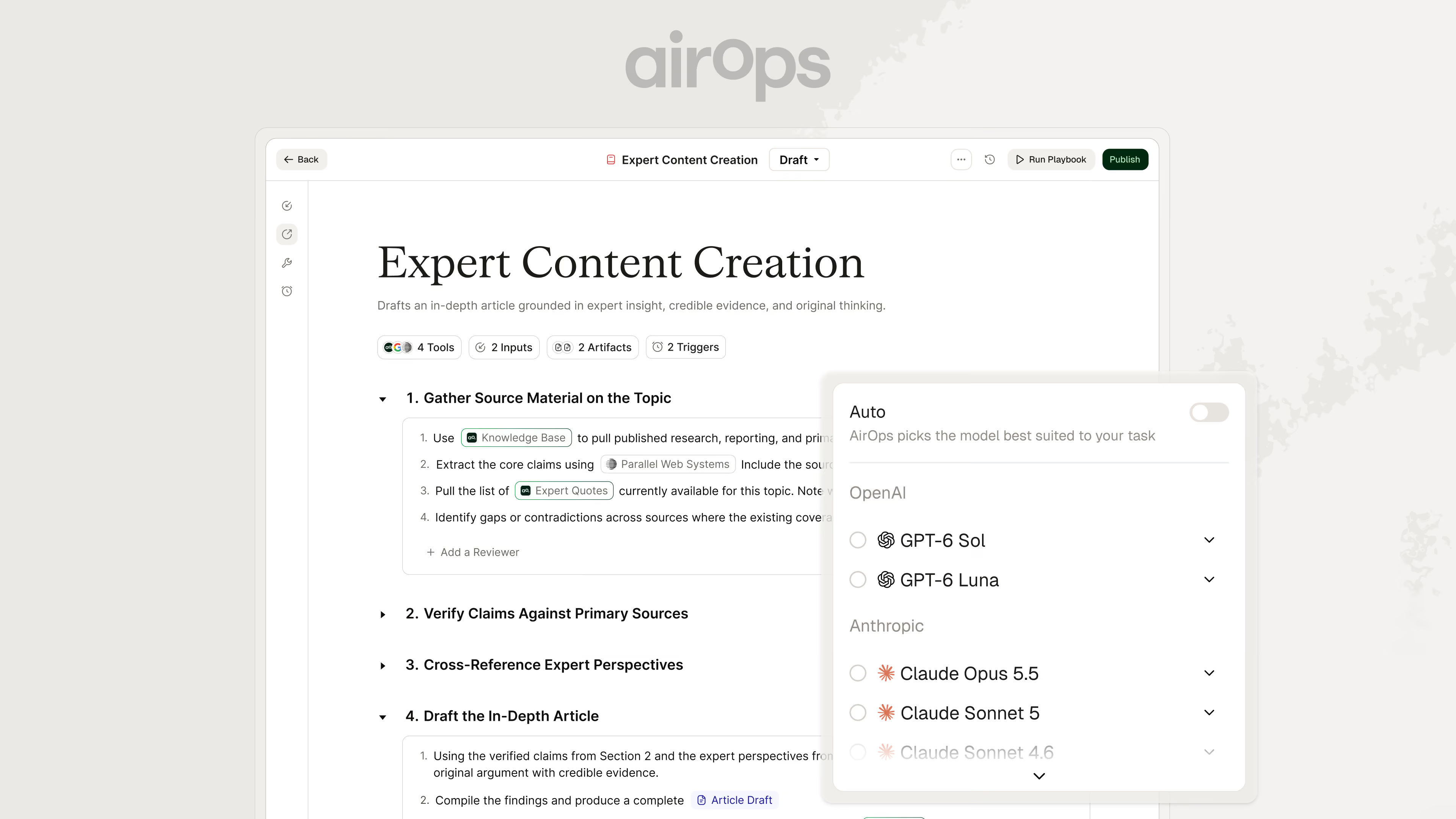
- Create with GPT-6 Sol, GPT-6 Luna, and Claude Opus 5.5 in Playbooks and Workflows. Choose Sol or Opus 5.5 for complex work, or try Luna when speed is the priority. Select a model in the editor to compare results on your team's tasks.
September 21, 2026
Reusable Campaigns, on-demand page tracking, and connected content reviews
Reuse Campaign setups and get model-powered help while building Workflows. Content review notifications and on-demand page captures also keep your team connected to the work awaiting a decision and the changes that have reached your site.
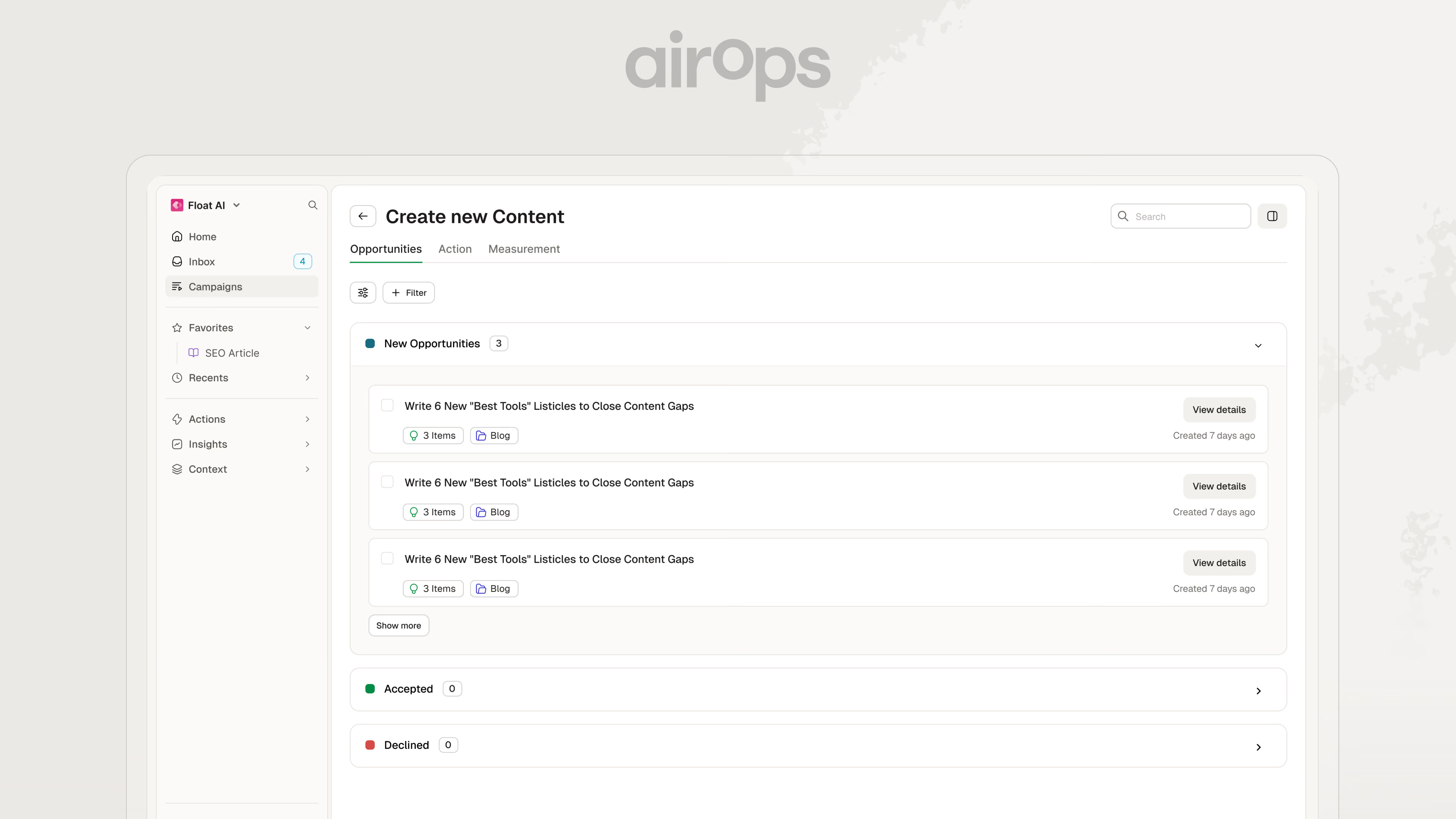
- Duplicate a Campaign to reuse its setup and criteria for another effort. The copy starts as a draft with its Measurement structure intact and no generated opportunities or Action rows, so your team can adapt the scope before publishing and generating fresh work.
- Build and improve Workflows with Claude Sonnet 5 in Copilot, which uses the model by default. Ask Copilot to explain how a Workflow operates, suggest Steps and connections, or help diagnose a problem while you decide which changes to make.
- Send content review notifications to private Slack channels where your reviewers already collaborate. Invite the AirOps bot to the channel and select it for notifications, keeping review requests within the appropriate team while work waits for a human decision.
- Capture page changes when your team needs to review them with Check for changes on an enrolled page. Request a fresh capture after an edit, then inspect its change history; resizable Insights columns also give long page titles, prompts, and citation details more room.
September 14, 2026
Social insights, prompt history, and editable Campaign criteria
Explore the YouTube videos and Reddit discussions that appear in AI answers, and understand changes to the prompts behind your reporting. New creation models and editable Campaign criteria give your team more ways to turn those insights into work.
- Explore Social and Community insights to see which YouTube creators, videos, Reddit threads, and subreddits appear in tracked AI answers. Compare brand presence and review cited sources to identify content topics, creator partnerships, or community discussions your team should investigate.
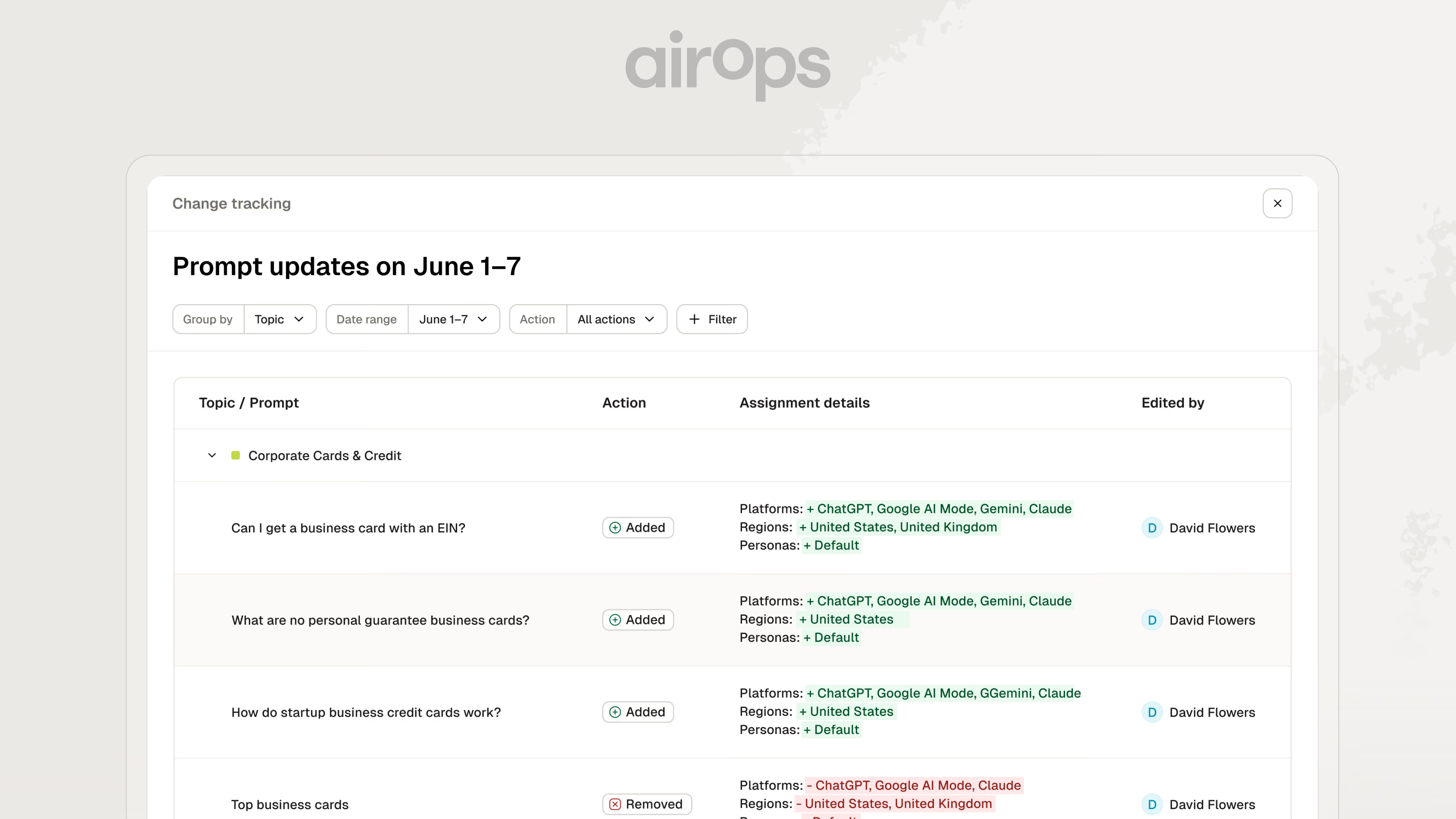
- Understand reporting changes with Prompt Change Log and annotations on Visibility charts. Review which prompts or assignments changed, when they changed, and who edited them; customizable Insights table columns help you keep the metrics and context you use most in view.
- Create with GPT-6 Astra and GPT Image 2.5 in your content processes. Astra supports complex reasoning and web research in Workflows, while Sunburst and Flare provide image generation and editing with quality and dimension controls for the assets your team needs.
- Research ChatGPT ads and advertisers through MCP from your connected assistant. Inspect creative details and appearance patterns for tracked prompts without connecting an Ads account, using the ads AirOps observes to investigate competitor messaging and relevant advertising activity.
- Refine Campaign opportunity criteria after publishing as your team's priorities change. Update what to prioritize, exclude, or rank higher, then use the saved criteria for future opportunity generation while keeping existing opportunities and accepted work intact.
September 7, 2026
Prompt Share of Voice, regional tracking, and content review
Choose from more models and pass the right Campaign context into Workflows and Playbooks. Grid controls, prompt reporting, and Session review details make it easier to configure work and inspect its results.
- Choose additional Claude and Gemini models for Workflows, including Claude Fable 5.1 and Gemini 3.7 and 3.8 Flash. The API Step also supports PUT and PATCH, allowing Workflows to update external records using the method the service requires.
- Connect Campaign context and Playbook outputs to downstream work by mapping the target page, brief, or supporting context into inputs. MCP also supports mapping Playbook Artifacts into Grid columns, keeping generated outputs available for the next stage of review or execution.
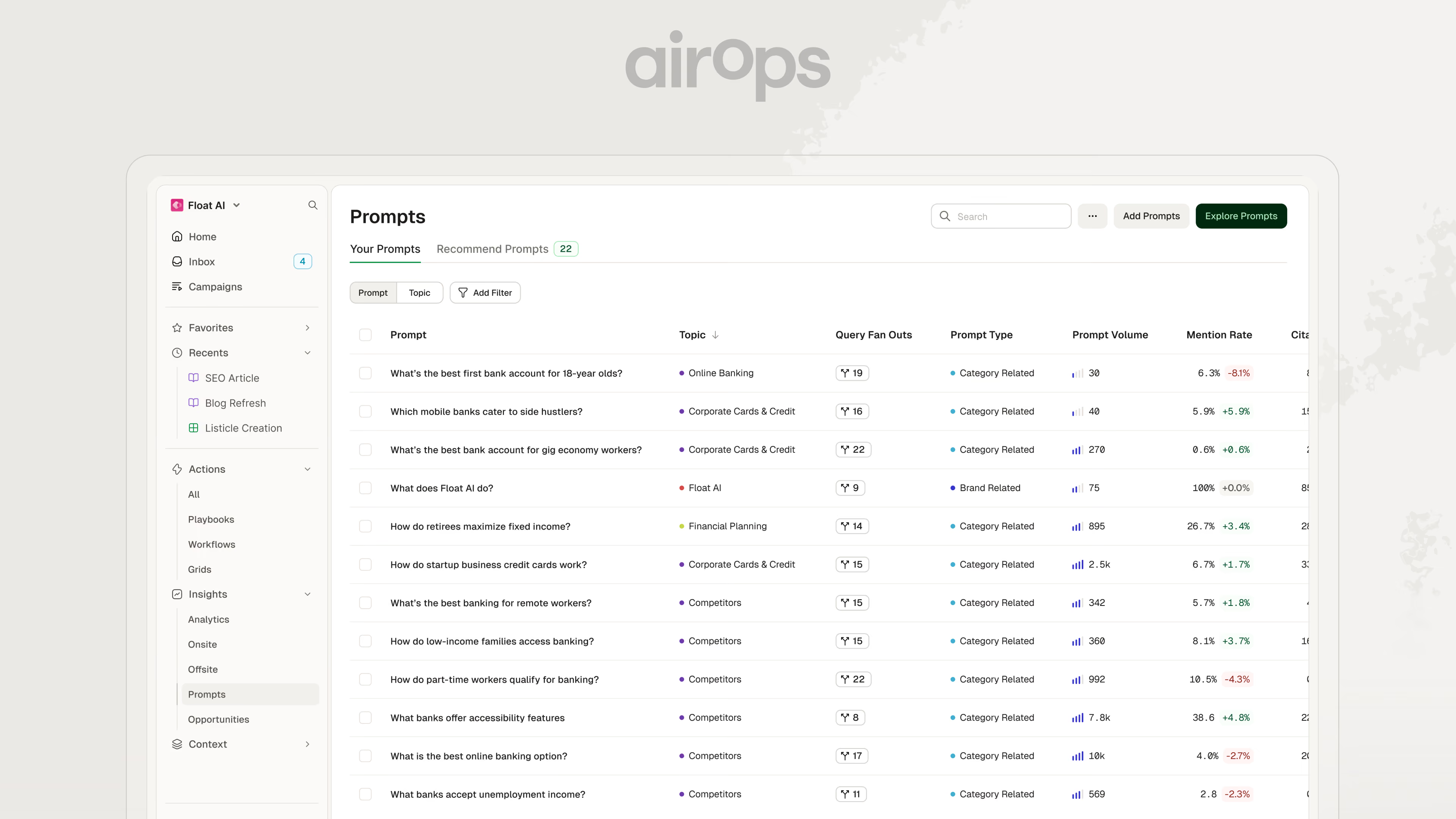
- Review prompt Share of Voice and refine tracking assignments to understand your brand's share of mentions for individual questions. Topic and platform filters help you narrow the tracked set before changing assignments, keeping your analysis focused on the markets and questions that matter.
- Follow Content Review progress within Playbook Sessions, with reviewer activity grouped under the check that produced it. Feedback suggestions also check the latest Playbook draft before applying an edit, helping protect changes your team has already made.
- Expand prompt tracking to additional regions, including Saudi Arabia, Taiwan, Kenya, Nigeria, and South Africa. Use the added region options to build a view of the markets your team serves and compare results across locations, with collection coverage varying by answer engine.
August 31, 2026
Prompt Intent filters and interactive AirOps analysis in Codex
Compare AI search performance by buyer intent and bring AirOps Insights into Codex tasks. These updates help your team investigate where its brand appears, compare results, and review changes to brand guidance in the same conversation.
- Compare performance across stages of buyer intent using Prompt Intent filters in supported Insights views. Separate awareness and consideration questions from evaluation and purchase questions, then examine how brand presence and citation patterns differ across the prompts you track. Use those comparisons to decide which topics or questions deserve closer attention.
- Analyze AirOps data interactively in Codex with charts, data tables, and Brand Kit review interfaces inside your task. Ask for a comparison by competitor, topic, or platform, then refine the date range or metric as you investigate. When you request Brand Kit edits, review and accept individual suggestions before applying them.
August 24, 2026
Campaign briefs, richer citations, and broader prompt coverage
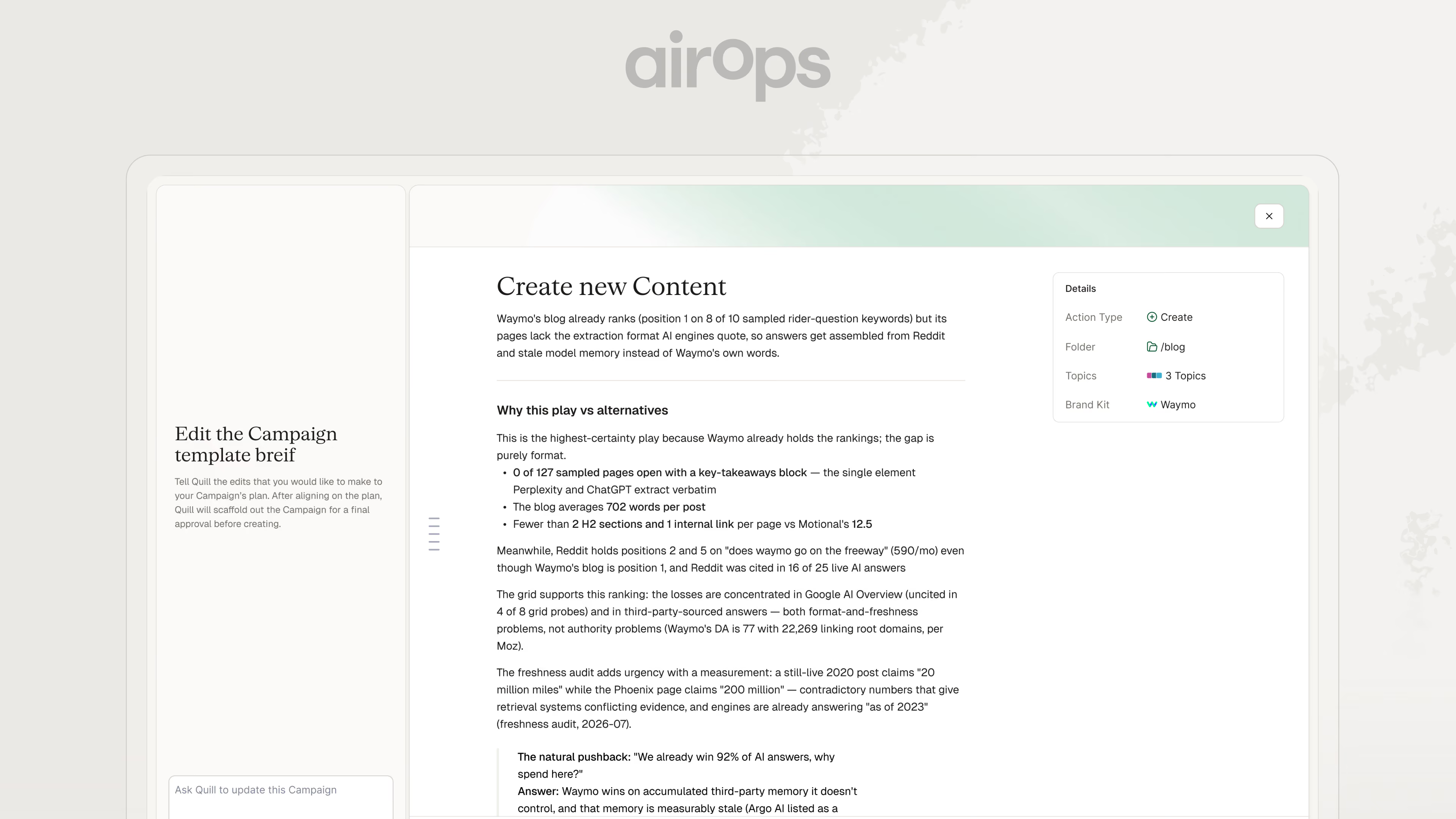
Shape Campaign work with editable briefs and supporting context before moving an opportunity into Action. Richer citation details and more flexible Playbook execution help your team evaluate opportunities and carry approved work forward.
- Edit Campaign briefs and supporting context before accepting work so each Action reflects what your team intends to create or refresh. Accepted work stays connected to Measurement, where recorded publishing activity supports later performance review.
- Inspect Reddit citations before choosing where to engage, including available post dates, upvotes, comment counts, and subreddit context. Select multiple page types when filtering citations, with the same selection carrying through URL and Domain views and CSV exports.
- Compare Overall totals in Prompt Coverage to understand each topic's distribution across intent stages. Answer responses also expose intent through the API and MCP, making that context available when you analyze results outside the Insights interface.
- Choose a model in the Playbook editor when a task calls for a particular available model, or leave the choice to AirOps with Auto. The selector reflects the models and providers available to your workspace.
- Run selected Grid rows and check progress through MCP from a connected assistant. Runs execute Workflow columns in dependency order, and status checks return both the overall result and details for individual columns.
August 17, 2026
Prompt Coverage, Brand Learning Loop, and reusable content reviews
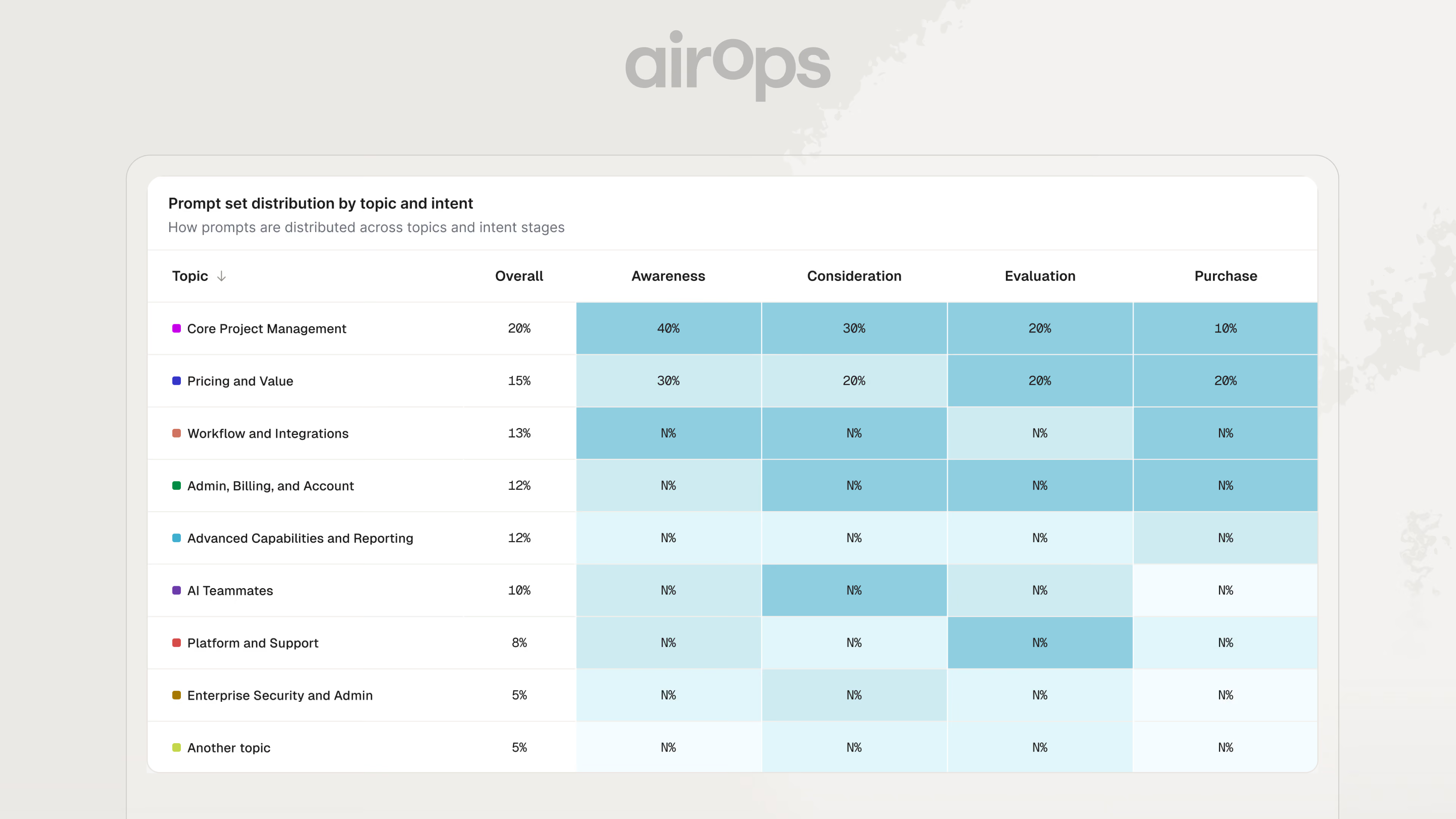
See which buyer questions your tracking covers and turn content feedback into guidance for future work. Prompt Coverage and Brand Learning Loop suggestions help your team refine its focus, while Playbook review controls keep quality checks consistent.
- Review Prompt Coverage across topics and buyer intent to see the distribution of your tracked questions. Compare awareness, consideration, evaluation, and purchase stages, then identify topics where your monitoring is concentrated at one stage and decide which questions to add.
- Turn feedback into Brand Learning Loop suggestions for your Brand Kit or Playbooks. AirOps draws on Playbook chats and Artifact comments, includes the evidence behind each suggestion, and lets reviewers apply or dismiss proposed guidance before it affects published work.
- Reuse Content Review checks when duplicating a Playbook so a new process keeps the quality standards your team already configured. Playbook Health highlights issues to address, while Session details show the model used when you need to inspect a result.
August 10, 2026
Automatic page-change tracking with a connected content history
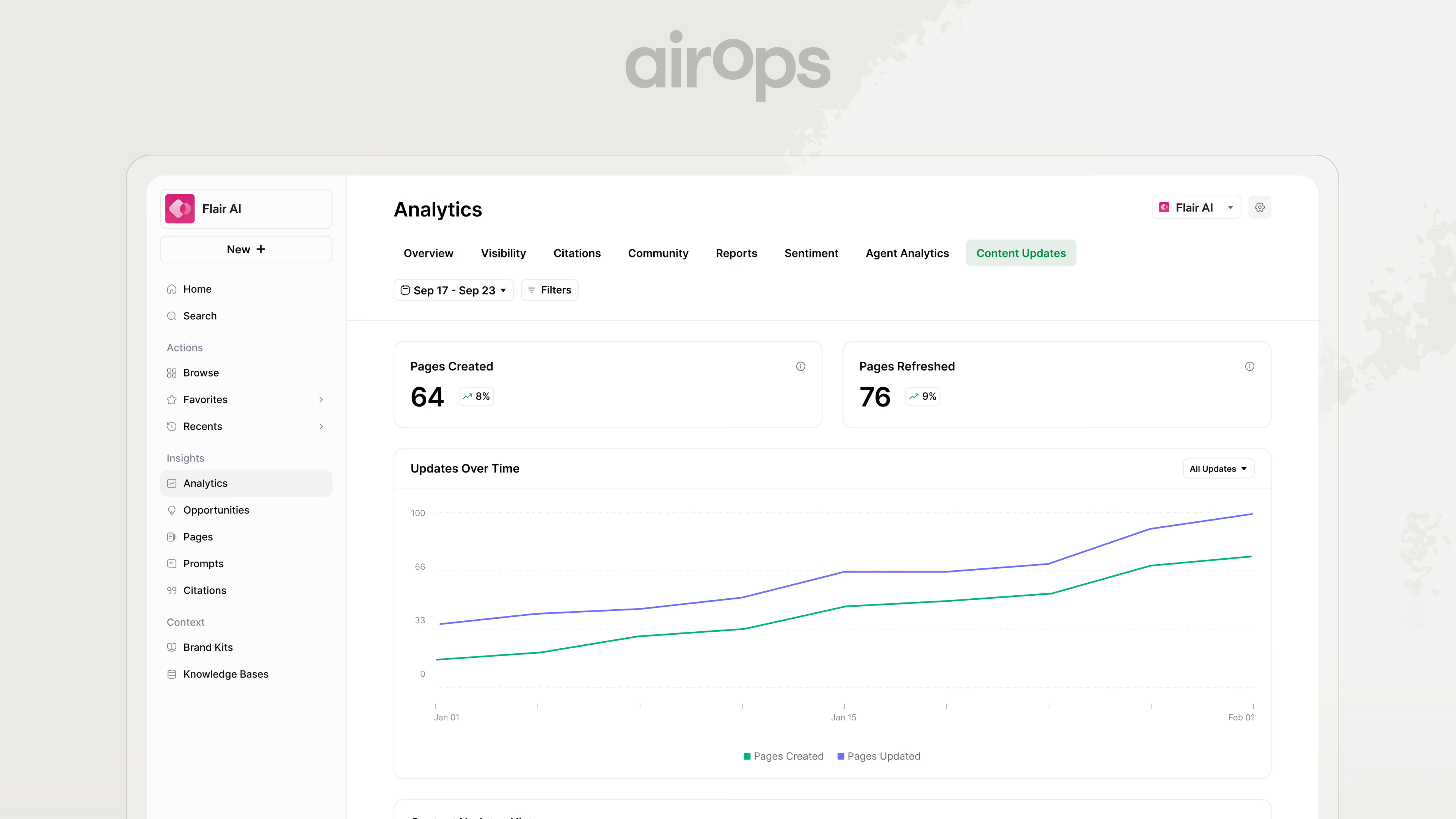
Keep a record of meaningful page edits, including changes made outside AirOps. Automated Change Detection connects recurring page captures to the Content Updates feed, giving your team a history to review alongside changes in performance.
- Detect meaningful page edits automatically with recurring captures of enrolled pages. AirOps identifies changes to headings, metadata, structured data, body content, and page structure, while filtering out routine rotation and other changes that do not reflect editorial work.
- Review what changed on an individual page through categorized change records and before-and-after comparisons for supported fields. Inspect title rewrites, heading changes, and structured data updates alongside the page's performance when reviewing a content refresh.
- Keep detected and recorded updates in one history through Content Updates. Logging a publish or refresh triggers a fresh capture, while automatically detected edits appear in the same feed as the updates your team records.