Does ChatGPT Give the Same Answers to Everyone?
.avif)
ChatGPT builds each reply from the exact words you use, the context of your conversation, and a bit of built-in randomness. Two people asking the same question may see similar ideas, but small differences in wording, model version, or settings usually change the final answer.
The answer lies in the intricate workings of AI. ChatGPT's responses are influenced by input prompts, context, and training data. While it may provide similar answers to identical questions, variations in phrasing, context, or preceding conversation can lead to different outputs.
Does ChatGPT Give the Same Answer to Everyone?
No. ChatGPT builds each reply from the exact words you use, the context of your conversation, and a bit of built-in randomness. Two people asking the same question may see similar ideas, but small differences in wording, model version, or settings usually change the final answer. The same principle applies across AI tools broadly. No AI gives the same answers to everyone, because each response depends on individual context, timing, and model configuration.
Here are some factors that can create a difference in ChatGPT responses.
Key Factors that Shape ChatGPT Responses
ChatGPT does not generate the same response for everyone, because dozens of factors unique to each user shape each reply. Here are some of the main factors that create variations in your results. Understanding how ChatGPT generates each response helps explain why every chat GPT answer can differ, even when the question stays the same.
1. Context you include in the prompt
The information included in your question significantly shapes ChatGPT's response. More context leads to more accurate and relevant answers tailored to your specific needs.
Furthermore, one of ChatGPT's recent memory personalization features can help the tool modify responses based on your prompts.
2. Phrasing and wording can change answers
Even slight variations in how you ask a question can change ChatGPT's interpretation and the resulting response. Being clear and precise in your phrasing helps ensure you get the most useful answer.
3. The type of question you ask (objective vs. subjective)
ChatGPT responds differently to objective questions that have clear, factual answers compared to subjective questions that involve opinions or interpretations. Objective questions tend to yield more consistent responses across users with only minor variations. For subjective questions, ChatGPT gives different answers to the same question, shaped by the factors in this list.
4. The ChatGPT model and version you select
Different models of ChatGPT will generate different responses to the same prompt due to variations in their training data and capabilities. See the different types of ChatGPT models in this article.
5. System prompts and provider instructions
Every ChatGPT session starts with hidden "system" instructions—from OpenAI or from a custom GPT you've built—that set ground rules for tone, style, and content filters. Ask the same question in the free web app, a Plus subscription, or a custom GPT and you may see different wording because each version starts from a different set of base instructions. This is a key reason why ChatGPT gives different answers to the same question across sessions and platforms.
6. The language and tone used in your prompt
The language and tone you use in your question can influence the style and tone of ChatGPT's response. For example, a more casual prompt may yield a more conversational answer, while a formal prompt may result in a more professional tone.
Temperature is a technical parameter that controls randomness in AI outputs—think of it as a "creativity dial." Lower values (0–0.3) push the model toward safer, more predictable phrasing, while higher values (0.8–1.0) encourage variety. ChatGPT's consumer interface uses a fixed temperature setting that you can't adjust, but if you're building with the OpenAI API, you can dial it up or down to control how similar—or different—each response is. For most users interacting through the standard ChatGPT interface, temperature isn't something you control directly, but it's one of the behind-the-scenes factors that adds variability to your answers.
6. The temperature settings of your model
Think of temperature as ChatGPT's "creativity dial." Lower values (0–0.3) push the model toward safer, more predictable phrasing, while higher values (0.8–1.0) encourage variety. Most consumer chat interfaces keep temperature fixed, but if you use the OpenAI API you can dial it up or down to control how similar—or different—each response is.
Can Users Expect Identical Responses from ChatGPT Across Different Sessions?
ChatGPT consistency in responses stays low across sessions, so users cannot expect identical responses each time. Each session is independent, and variations in phrasing, timing, and context can lead to different responses. However, the general direction and tone of the replies might be similar and will potentially have common keywords.
How to Prompt ChatGPT For Unique Answers
If your niche requires authentic and distinct content, here's how you can generate unique answers.
1. Use a specific input
The way you phrase your question to ChatGPT can significantly impact the response you receive. Even minor changes in wording can lead the AI to interpret your query differently, resulting in varying answers.
"What is the capital of France?" → ChatGPT: "Paris."
"Can you tell me about the capital city of France?" → ChatGPT: A fuller answer covering Paris' history, landmarks, and cultural significance.
If you feel like the answers you're receiving are generic, try rephrasing the question to prompt the AI to answer in a different way.
2. Add context and background
The context and background information you provide in your query significantly influence ChatGPT's response. When you include more relevant details, ChatGPT can better understand your specific needs and generate more accurate, tailored answers.
For instance, if you're asking about a historical event, providing the time period, location, and key figures involved will help ChatGPT give you a more precise and comprehensive response.
Similarly, when inquiring about a technical concept, offering background information on your level of expertise and the specific aspect you're interested in will enable ChatGPT to adapt its explanation accordingly.
3. Craf effective prompts
A well-crafted prompt guides the model to generate precise and relevant responses. Here are several strategies to ensure your prompts are effective and yield high-quality answers.
First, specificity is key. General prompts often lead to broad and vague responses. For example, instead of asking, "What is marketing?" you could ask, "What are the key components of a successful digital marketing strategy for small businesses?" This specificity helps ChatGPT focus on the exact information you need.
Providing context enhances the relevance of the response. Including background information or specifying the scenario in which the answer will be used can significantly improve the outcome. For instance, "As a small business owner looking to expand online, what social media strategies should I focus on?" gives ChatGPT a clearer framework to tailor its response.
Open-ended questions encourage more detailed and nuanced answers. They prompt ChatGPT to provide comprehensive insights rather than short, limited responses. For example, asking, "How can innovative social media strategies improve customer engagement?" invites a broader exploration of ideas.
Finally, iterative refinement can greatly enhance the quality of the responses. Start with a broad question and progressively narrow it down based on the initial answers. This technique helps in honing the output to better suit your needs, making the final answer more accurate and detailed.
4. Utilizing advanced techniques
To maximize the potential of ChatGPT and generate unique, detailed answers, it's essential to employ advanced techniques. These methods enhance the specificity and depth of the responses, making them more tailored to your needs.
Layered Prompts
Breaking down complex questions into simpler, layered prompts can significantly improve the quality of the answers. Start with a broad question to get an initial response, then follow up with more specific queries based on that response. For instance, you might begin with, "What are the benefits of renewable energy?" After receiving an answer, follow up with, "How does solar energy compare to wind energy in terms of efficiency and cost?"
Role Play
Instructing ChatGPT to respond as a particular persona or expert can add depth and context to the answers. This technique is especially useful when you need insights from a specific perspective. For example, you could ask, "As a financial advisor, how would you recommend a beginner invest their money?" This approach helps generate responses that are more aligned with the expertise of the role you specify.
Iterative Refinement
Using the model iteratively involves refining your prompts based on previous answers. If the initial response is not quite what you were looking for, you can adjust your prompt and try again. This process helps in honing the responses to better match your expectations.
Diversify Input
To avoid repetitive answers, it's beneficial to use varied prompts and contexts. Different phrasing and additional details can yield more unique responses. For instance, instead of repeatedly asking, "What are the benefits of exercise?" you could vary the prompt to, "How does regular exercise improve mental health?" or "What are some effective workout routines for beginners?"
5. ChatGPT Models and their varying characteristics
As OpenAI fine-tunes ChatGPT, you may notice changes in its responses over time. The AI's knowledge base expands, and its language understanding improves with each update. However, these improvements can also lead to inconsistencies. ChatGPT will not always give the same answer twice: even with the exact same question, an answer from a month ago might differ from the response you get today.
This is because ChatGPT's training data is constantly evolving. The AI learns from new information and adjusts its language generation accordingly. While this allows ChatGPT to provide more accurate and up-to-date information, it can also result in variations in its responses.
So, what does this mean for you as a ChatGPT user? Here are a few things to keep in mind:
Why AI search engines give different answers than Google
Traditional search engines return a ranked list of links from a pre-built index. AI answer engines work differently. They generate fresh responses for every query by retrieving information in real time and assembling an original answer.
As Aja Frost, Director of Global Growth at HubSpot, noted in an AirOps webinar: "Answer engines are not retrieving a fairly static list of results, they're generating new answers each time, and that inherently means a lot of volatility." Research from the 2026 State of AI Search confirms that ChatGPT, Gemini, and Perplexity each produce different citation patterns and brand mention frequencies for the same queries.
This volatility matters for brands tracking their AI visibility. According to research on how citations and mentions impact visibility in AI search, 40% of pages that lose AI visibility can resurface later. That pattern illustrates how unstable AI answers are compared to traditional search rankings. Tools like LLM brand citation tracking help teams monitor these shifts across platforms.
- Google retrieves from a static index. ChatGPT retrieves in real time, so the same query can pull different sources minutes apart.
- Each AI platform uses different retrieval and ranking logic, producing different answers and citations for identical questions.
- User-generated content from Reddit, forums, and community sites acts as a constantly shifting input. Research on the impact of UGC and community in AI search shows these sources are heavily cited, which means AI answers change as community content updates.
6. Session Context and Memory
Session context and memory are crucial features that enhance ChatGPT's ability to produce original and contextually relevant results. These capabilities enable the AI to maintain continuity in conversations and leverage past interactions to refine responses, leading to more personalized and accurate outputs.
Session Context
This feature allows ChatGPT to remember the details of the current conversation, including the user's preferences, previous questions, and responses. By maintaining this context, the model can provide more coherent and relevant answers. For instance, if a user is discussing a marketing strategy and then shifts to asking about specific tactics, ChatGPT can refer back to the initial discussion to provide a seamless and context-aware response. This continuity helps in generating original answers that are tailored to the ongoing conversation.
Memory
Memory extends beyond a single session, enabling ChatGPT to recall information from previous interactions with the same user. This long-term retention is particularly beneficial for users who require ongoing assistance on complex projects or topics. For example, a user working on a novel can have ChatGPT remember characters, plot points, and themes across multiple sessions. This feature ensures that the AI provides consistent and unique suggestions, building on past inputs and refining ideas over time.
By leveraging session context and memory, users can avoid repetitive explanations and receive responses that are increasingly nuanced and aligned with their specific needs. These features not only enhance the efficiency of interactions but also contribute to the creation of highly original and tailored content, making ChatGPT an invaluable tool for users seeking personalized and innovative solutions.
How location and personalization shape your ChatGPT answers
Your physical location and digital footprint influence the ChatGPT answers you receive. Controlled studies confirm that ChatGPT adapts responses based on geolocation, adjusting recommendations, examples, and regulatory context to match the user's region.
Personalization goes further. Since April 2025, ChatGPT references all past conversations when Memory is enabled. ChatGPT will not give the same answer to different people: two users with different conversation histories receive different answers for the same prompt.
Google is pushing personalization even further. As Mike King of iPullRank explained in a recent AirOps webinar, Google's "personal intelligence" creates vector representations of user activity from Gmail, Maps, and search history, then filters what information reaches the language model.
- Location adjusts context: a question about tax law produces U. S.-specific guidance for someone in New York and EU-specific guidance for someone in Berlin.
- Memory-enabled sessions build a profile over time, personalizing ChatGPT answers based on your preferences, industry, and prior conversations.
- Google and other AI platforms are building hyper-personalized answer systems that go beyond what ChatGPT currently offers.
7. Avoiding Common Pitfalls
While ChatGPT is a powerful tool for generating unique and informative responses, there are several common pitfalls to be aware of.
Over-Reliance on the Model
It's important to remember that ChatGPT, despite its advanced capabilities, is not infallible. Over-reliance on the model without critical evaluation of its responses can lead to the dissemination of inaccurate or incomplete information. Always cross-check important facts and details with reliable sources, especially when the information is critical or requires high accuracy.
Ambiguity in Prompts
Ambiguous prompts often result in unclear or off-target responses. Ensure that your prompts are precise and well-defined. For example, instead of asking, "What are some good practices?" specify the context, such as "What are some good cybersecurity practices for small businesses?" This reduces ambiguity and helps the model generate more accurate and relevant answers.
Ignoring Context
Failing to provide sufficient context can lead to generic responses that may not fully address your needs. Including relevant background information in your prompts helps the model understand the situation better and produce more tailored responses. For instance, "As a marketing manager for a tech startup, how can I effectively use social media to increase brand awareness?" offers a clear context that guides the model's response.
Misinterpreting Responses
Sometimes, ChatGPT's responses may be interpreted incorrectly due to the phrasing or the complexity of the topic. It's crucial to read the answers carefully and, if necessary, seek clarification by asking follow-up questions. This iterative process can help ensure that you fully understand the information provided.
Recognizing Limitations
ChatGPT is trained on a diverse dataset, but it doesn't have real-time knowledge or the ability to access the latest information beyond its training cut-off. This means it might not be aware of the most recent developments or specific niche topics. For up-to-date or highly specialized information, consider consulting additional resources or experts in the field.
By being aware of these common pitfalls and taking steps to avoid them, you can make your interactions with ChatGPT more effective, ensuring that the responses are accurate, relevant, and useful for your needs.
Can ChatGPT Provide Personalized Responses Based on User Preferences?
Yes, ChatGPT can provide personalized responses by using context from prior interactions and specific user inputs within a session. While it does not store personal data across sessions, it can tailor responses during a conversation to align with user preferences and prior interactions, enhancing the user experience.
Final Thoughts
To conclude, while ChatGPT offers consistent information based on its training data, its interaction is limited by the rigidity of its structure. The responses it generates are often constrained by predefined algorithms and patterns, which can result in a lack of creativity and flexibility. This rigidity may lead to answers that feel formulaic or unable to adapt fully to nuanced or highly creative inquiries, making the interaction somewhat predictable and, at times, less engaging.
Apart from that, ChatGPT can only handle one query at a time, which restricts the context you can provide and limits the complexity of the use cases you can build. This makes it less ideal for scaling, as each interaction is like a single conversation that requires constant manual input and guidance.
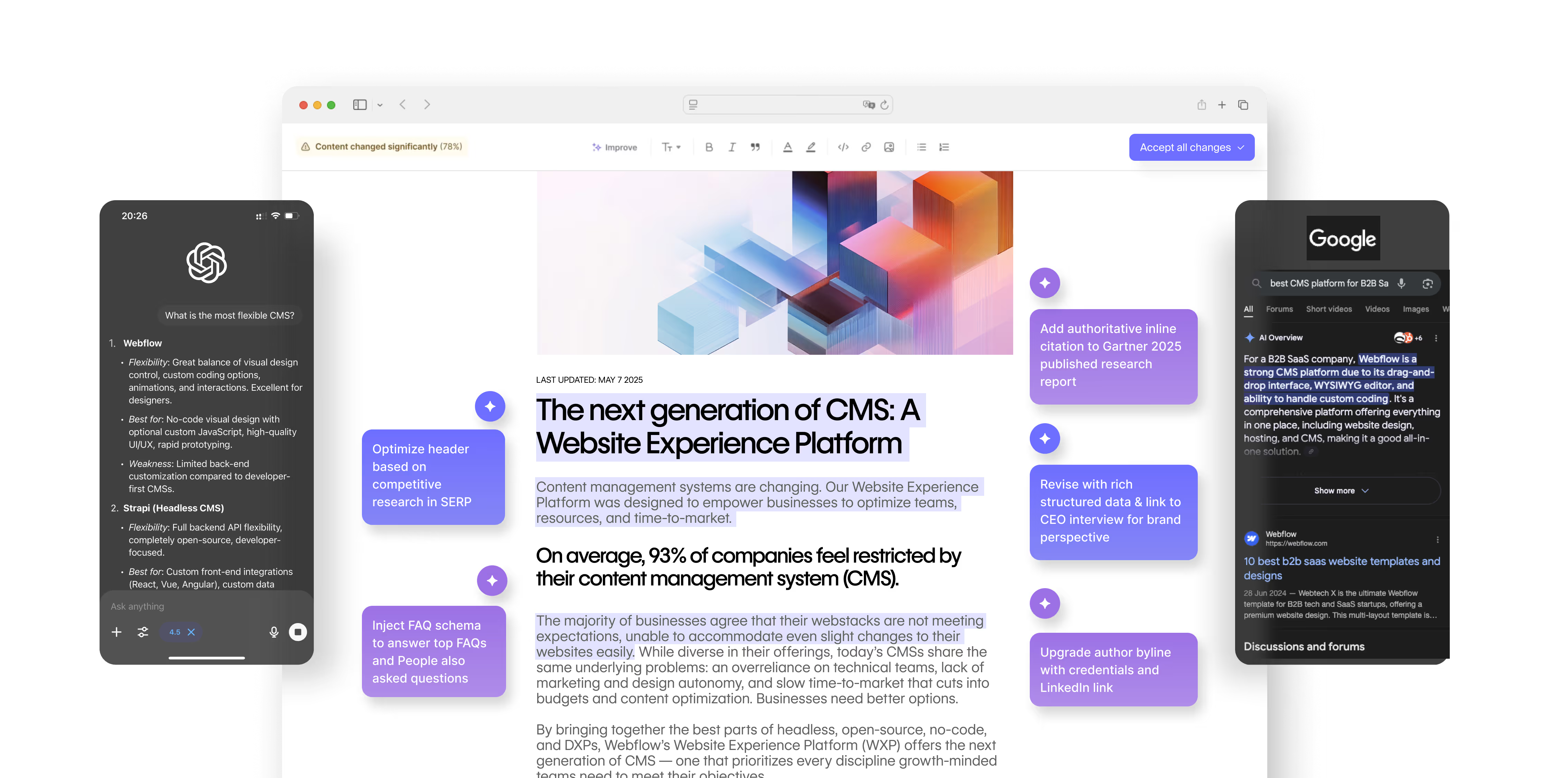
Turn ChatGPT Variability into Scalable Workflows with AirOps
- Beyond one-off chats: Build structured, reusable workflows so your team gets consistent outputs instead of starting from scratch each time.
- From variability to reliability: Lock in the right prompts and context so AI delivers dependable, high-quality results.
- Aligned with your goals: Integrate AI into your stack so outputs stay on-brand, SEO-ready, and tied to business impact.
Sign up with AirOps today and learn how you can use AI to optimize processes, enhance productivity, and drive innovation for your business.
Can two people collaborate on the same ChatGPT conversation simultaneously?
ChatGPT doesn't support real-time collaborative sessions, but you can share conversation links with others or export chat histories for team review. For collaborative AI workflows, consider using API-based solutions or platforms that allow multiple users to access shared prompts and outputs.
How do I verify if ChatGPT's answer is accurate before using it?
Cross-reference key facts with authoritative sources like academic databases, official documentation, or established news outlets. Pay special attention to statistics, dates, and technical claims, as these are areas where AI models are most likely to generate plausible-sounding but incorrect information.
Does clearing my ChatGPT chat history affect future response quality?
Clearing history removes conversation context but doesn't impact the underlying model's capabilities. However, if you have Memory enabled, your stored preferences remain intact, so you'll still receive personalized responses based on what ChatGPT has learned about you.
Why do I sometimes get a different answer when I ask ChatGPT the same question twice?
ChatGPT adds a little randomness each time it writes. Settings like "temperature," the model version you pick, and even tiny changes in wording can shift the reply. This randomness helps the AI stay creative but means you might see slightly different answers on repeat questions. Yes, ChatGPT does give different answers every time in most cases. Even with identical input, the probabilistic nature of next-token prediction means each output sequence differs slightly.
Can two people collaborate on the same ChatGPT conversation simultaneously?
ChatGPT doesn't support real-time collaborative sessions, but you can share conversation links with others or export chat histories for team review. For collaborative AI workflows, consider using API-based solutions or platforms that allow multiple users to access shared prompts and outputs.
How do I verify if ChatGPT's answer is accurate before using it?
Cross-reference key facts with authoritative sources like academic databases, official documentation, or established news outlets. Pay special attention to statistics, dates, and technical claims, as these are areas where AI models are most likely to generate plausible-sounding but incorrect information.
Does clearing my ChatGPT chat history affect future response quality?
Clearing history removes conversation context but doesn't impact the underlying model's capabilities. However, if you have Memory enabled, your stored preferences remain intact, so you'll still receive personalized responses based on what ChatGPT has learned about you.
Why do I sometimes get a different answer when I ask ChatGPT the same question twice?
ChatGPT adds a little randomness each time it writes. Settings like “temperature,” the model version you pick, and even tiny changes in wording can shift the reply. This randomness helps the AI stay creative but means you might see slightly different answers on repeat questions.
Is Ask AI the same as ChatGPT?
Ask AI and ChatGPT are not the same. ChatGPT is OpenAI's specific assistant, while Ask AI is a separate app that routes your question to one of several underlying models. Both generate answers, but the results differ because they run on different systems.
Is a chatbot the same as ChatGPT?
A chatbot is not always the same as ChatGPT. ChatGPT is one type of AI chatbot built on a large language model (LLM), while many chatbots run on simpler rule-based scripts. ChatGPT generates original responses, so it varies more than a scripted chatbot.
How does ChatGPT generate responses?
ChatGPT generates responses by predicting the next token based on your prompt, the conversation context, and its training data. A randomness setting called temperature adds variation to each reply. That combination is why the same prompt can produce different answers.
Is OpenAI the same as ChatGPT?
OpenAI and ChatGPT are not the same. OpenAI is the company that builds the models, and ChatGPT is the assistant product it created. Other OpenAI products, like the API, can return different answers than the ChatGPT app.
Get the latest on AI content & marketing