Sales objection brief prompts for inaccurate AI answers
Start with content strategy, expert editorial support, and a coordinated plan across owned pages, external content, paid campaigns, community, and social. Use the prompts below to translate that plan into documented review steps with named human owners.
- An AI-answer objection brief gives reps an approved fix for a wrong AI answer.
- Six prompts run one loop from the sales call to the content team.
- Every prompt uses only sources you supply and writes NEEDS SOURCE for gaps.
- A named person approves each output before any rep sees it.
- Wrong answers feed a content fix queue and a weekly digest for leaders.
Six prompts turn a wrong AI answer into an approved sales brief. Each prompt uses only the sources you supply. Teams that work with AirOps get intelligence on AI answers about their brand.
The problem starts on a sales call. A prospect repeats what ChatGPT said about your product. Sometimes that answer gets your pricing or a competitor wrong.
Your rep needs a fast and accurate reply. Your content team needs to know which page fed the error. These prompts meet both needs with one shared log.
This work belongs to answer engine optimization (AEO). AEO is the practice of shaping how AI answers describe your brand. Every prompt here stops at a human hold gate.
The stakes come from how buyers research software today. Wrong answers now shape shortlists before your reps join the deal.
What is an AI-answer objection brief?
An AI-answer objection brief is a one-page sales fix for wrong AI answers about your product. It pairs the wrong claim with the approved fact and its source. Reps use it to correct the record without guessing.
You build each brief from approved sources only. Those include your live pricing page and signed-off product docs. Create a brief when any of these events happen:
- A prospect quotes an AI answer that misstates your product.
- A rep hears the same wrong pricing claim twice in one week.
- An AI answer compares you to a competitor using old facts.
- A deal stalls after a buyer cites a chatbot summary.
Table 1 maps each objection type to its source of truth. Each row also names the owner who keeps that source current.
| Objection type | Example AI claim | Source of truth | Owner |
|---|---|---|---|
| Product capability | "It has no native CRM integration." | Current product docs and release notes | Product marketing |
| Pricing and packaging | "Plans start at a price retired last year." | Live pricing page and approved rate card | Pricing owner |
| Competitor comparison | "Competitor X does everything you do for less." | Verified comparison sheet with dated sources | Product marketing and legal |
| Customer fit | "It only works for small teams." | Approved customer stories | Customer marketing |
| Company facts | "The company was acquired." | Approved boilerplate and press page | Communications |
How do the prompts to brief sales on AI-answer objections fit together?
The six prompts form one loop from sales call to content fix. Each prompt takes supplied inputs and returns one output. A named person approves each output before it moves on.
| Prompt | Supplied inputs | Output | Human hold gate |
|---|---|---|---|
| 1. Capture the wrong AI answer | Exact answer text, platform, date, rep name | One log row | Approver confirms the claim type |
| 2. Build the correction brief | Log row, approved facts, source URLs | One-page brief | Approver signs off before reps see it |
| 3. Write the talk track | Approved brief, verified differences | Short rep script | Approver signs off before release |
| 4. Attach proof links | Approved proof URL list | Claim and proof table | Approver opens every URL |
| 5. Escalate to content | Log row, brief, owned page URLs | Content fix ticket | Content lead approves the ticket |
| 6. Compile the digest | Weekly log rows, fix queue status | One-page weekly digest | Digest owner checks every count |
Set up these basics before you run Prompt 1:
- One folder of approved sources, each with an owner and review date.
- One named approver for each objection type.
- One shared log where every captured answer gets a row.
You can run the loop in any chat tool. You can also run it alongside AI search intelligence and execution in one place.
Six prompts to brief sales on AI-answer objections
Copy each prompt below and fill every bracket yourself. These sales objection handling prompts never fill gaps on their own. Run them in order for each new wrong answer.
Prompt 1 captures the wrong AI answer
Use this prompt to log the wrong answer as evidence before anyone reacts.
You are logging a wrong AI answer for a sales objection brief.
Use only the inputs below. Do not guess any value.
If an input is missing, write NEEDS SOURCE in that field.

AI platform: [AI PLATFORM NAME, ENTERED BY YOU]
Date captured: [DATE CAPTURED, ENTERED BY YOU]
Buyer prompt: [PASTE BUYER PROMPT, IF KNOWN]
Exact AI answer: [PASTE EXACT AI ANSWER TEXT]
Account: [APPROVED NON-SENSITIVE ACCOUNT ALIAS]
Reported by: [REP NAME]
Approved sources: [APPROVED SOURCE LIST]

Return one log row with these fields:
1. Platform and date, copied exactly from the inputs.
2. The wrong claim, quoted word for word.
3. Claim type: product, pricing, competitor, customer fit, or company facts.
4. Why the claim looks wrong, based only on the approved sources.
5. Open questions for the approver.

Do not rewrite the AI answer.
Never promise that a fix guarantees citations, AI answer changes, or revenue.

HOLD: do not add this row to the shared log until [APPROVER NAME] confirms the claim type.- Have a person enter the date so the log stays accurate.
- Paste the full answer text and save a screenshot in your log.
- Log the buyer's prompt whenever the rep knows it.
Prompt 2 builds the approved correction brief
Use this prompt to turn one log row into a sales enablement one-pager. The result works like a narrow sales battlecard for one wrong claim.
Keep approved claims in one governed home. That idea sits at the center of brand governance at scale.
You are writing an approved correction brief for sales reps.
Use only the sources in [APPROVED SOURCE LIST]. Do not use outside knowledge.
If a fact has no supplied source, write NEEDS SOURCE.

Log row: [PASTE APPROVED LOG ROW FROM PROMPT 1]
Approved facts: [PASTE APPROVED FACTS WITH SOURCE URLS]
Product and plan names: [EXACT PRODUCT AND PLAN NAMES]
Brief owner: [OWNER NAME]
Review date: [NEXT REVIEW DATE, ENTERED BY YOU]

Fill these fields in order:
1. Wrong claim, quoted from the log row.
2. Correct fact, in one sentence of 20 words or fewer.
3. Source for the correct fact, as a supplied URL.
4. What reps can say.
5. What reps must not say.
6. Owner and review date.

Never promise that a fix guarantees citations, AI answer changes, or revenue.

HOLD: do not share with reps until [APPROVER NAME] approves.- Keep the correct fact to one sentence a rep can say aloud.
- Use exact product and plan names from your source list.
- Set a review date so stale briefs expire on schedule.
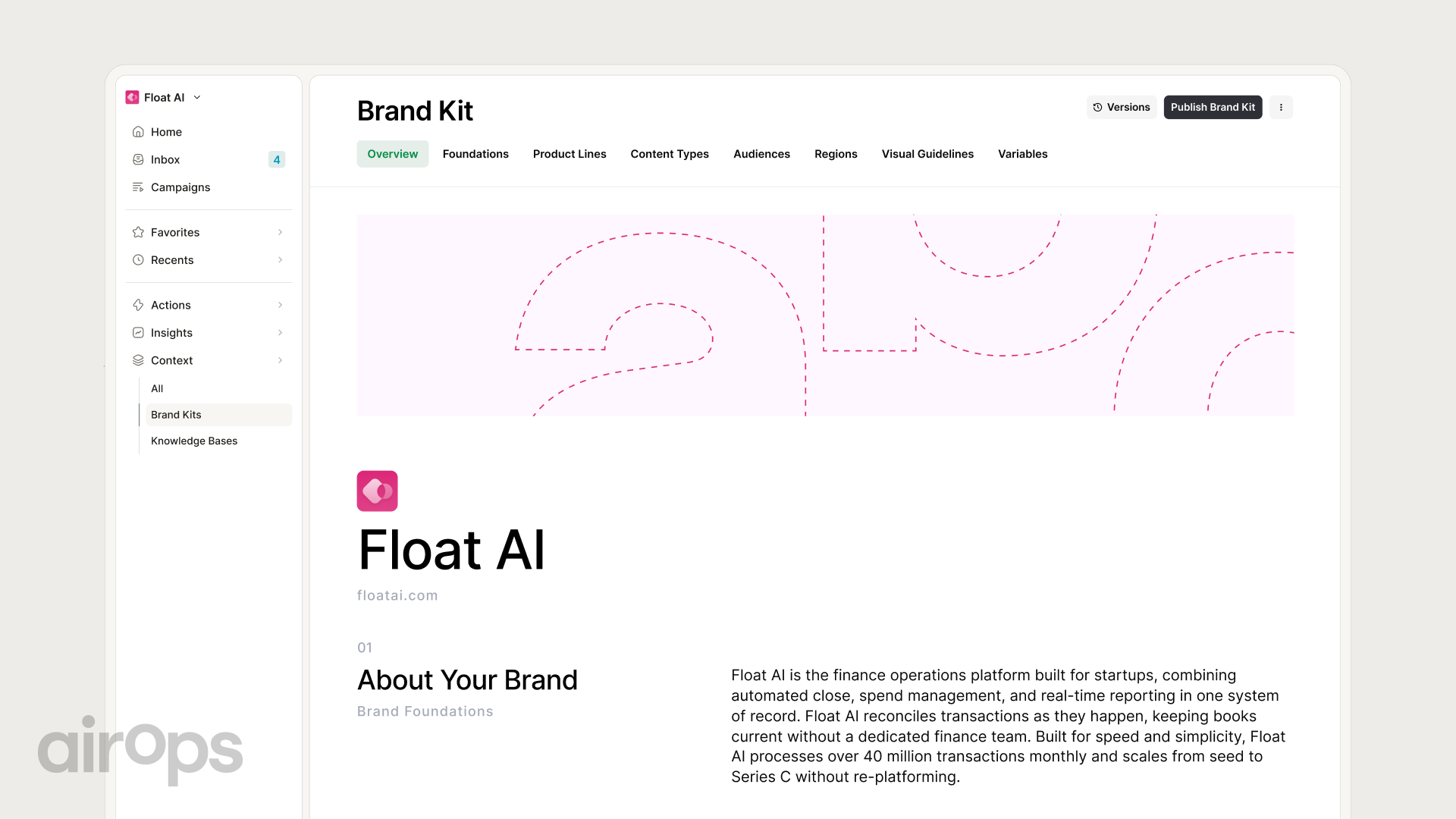
Table 3 lists the fields every brief needs. The screenshot after it shows a central place to store approved brand context.
| Field | What it holds | Rule |
|---|---|---|
| Wrong claim | The exact AI text from the log | Quote it word for word |
| Correct fact | One plain sentence | Must match a supplied source |
| Source | URL or document name | Comes from the approved list only |
| What reps can say | Approved rep phrasing | Uses exact product and plan names |
| What reps must not say | Claims reps avoid | Includes any unverified competitor claim |
| Owner and review date | Name and date | Entered by a person |
Prompt 3 writes the rep talk track
Use this prompt to turn the brief into words a rep can say. Competitor objections need the most care.
You are writing a short talk track for a sales rep.
Use only the approved brief and inputs below. Add no new claims.
If the rep needs a fact the inputs lack, write NEEDS SOURCE.

Approved brief: [PASTE APPROVED BRIEF FROM PROMPT 2]
Competitor named: [COMPETITOR NAME OR NONE]
Verified differences: [PASTE VERIFIED DIFFERENCES WITH SOURCES]
Buyer role: [BUYER TITLE]

Write the talk track as numbered steps:
1. Acknowledge what the buyer read, without blaming them.
2. Correct the claim with the brief's correct fact.
3. Offer proof the rep can send after the call.

Keep each step under 40 words.
Do not disparage any competitor.
Mention a competitor only with a verified difference from the inputs.
Never promise that a fix guarantees citations, AI answer changes, or revenue.

After the talk track, write two buyer pushback lines for a role-play check.

HOLD: do not share with reps until [APPROVER NAME] approves.- Role-play the track with one rep before wider release.
- Keep every competitor mention factual and sourced.
- Retire the track when the brief's review date passes.
Prompt 4 attaches proof links
Use this prompt to pair each correction with proof a buyer can open. Good proof lives on public pages, such as a customer stories hub.
You are attaching proof links to an approved sales brief.
Use only the URLs in [APPROVED PROOF URL LIST]. Do not search the web.
Do not create, shorten, or edit any URL.
If a claim has no matching URL, write NEEDS SOURCE next to it.

Approved brief: [PASTE APPROVED BRIEF FROM PROMPT 2]
Talk track: [PASTE APPROVED TALK TRACK FROM PROMPT 3]
Proof URLs with titles: [APPROVED PROOF URL LIST]

Return a table with these columns:
Claim | Proof URL | Page title | What the page proves

Flag any proof page older than [MAX SOURCE AGE, SET BY YOU].
Never promise that a fix guarantees citations, AI answer changes, or revenue.

HOLD: do not send proof links to reps until [APPROVER NAME] checks every URL.- Open every URL before approval to confirm it loads.
- Pick public pages a buyer can read without a login.
- Send each NEEDS SOURCE gap to the content team.
Prompt 5 escalates to the content fix queue
Use this prompt to route the root cause to the page owner. AI answers draw on pages they can cite. The basics of how AI citations work explain why the fix starts with content.
You are writing a content fix ticket for a wrong AI answer.
Use only the inputs below. Do not guess which page caused the error.
If no supplied page matches, write NEEDS SOURCE for the likely source page.

Log row: [PASTE APPROVED LOG ROW FROM PROMPT 1]
Approved brief: [PASTE APPROVED BRIEF FROM PROMPT 2]
Pages cited in the answer: [PASTE CITED URLS, IF ANY]
Owned pages on this topic: [PASTE PAGE URLS AND LAST UPDATED DATES]
Owner list: [PASTE PAGE OWNERS BY TOPIC]

Return one ticket with these fields:
1. Likely source page, chosen only from the supplied URLs.
2. What the page says now, quoted.
3. Proposed fix, matched to the approved brief.
4. Owner, taken from the owner list.
5. Priority: high if the claim reached an open deal, otherwise normal.

Never promise that a fix guarantees citations, AI answer changes, or revenue.

HOLD: do not add this ticket to the content fix queue until [CONTENT LEAD NAME] approves.- Check any cited third-party pages too, and route them to your external content owner.
- Link each ticket back to its log row.
- Recheck the AI answer after the fix ships, and log the result.
Prompt 6 compiles the weekly objection digest
Use this prompt to give sales and marketing leaders one weekly view. Pair it with outcome-based AEO measurement so leaders judge the loop by results.
You are compiling a weekly objection digest for sales and marketing leaders.
Use only the rows in [PASTE SHARED LOG ROWS FOR THE WEEK].
Count only what the log shows. Do not estimate or extrapolate.
If a needed number is not in the log, write NEEDS SOURCE.

Week covered: [START DATE AND END DATE, ENTERED BY YOU]
Fix queue status: [PASTE OPEN AND CLOSED TICKETS]

Return the digest in this order:
1. New wrong answers, counted by claim type.
2. The three claims repeated most often, quoted from the log.
3. Briefs approved this week, with owners.
4. Open content fixes, with owners and age in days.
5. Decisions needed from leaders.

Never promise that a fix guarantees citations, AI answer changes, or revenue.

HOLD: do not send this digest until [DIGEST OWNER NAME] reviews every count.- Send the digest on the same day each week.
- Keep it to one page so leaders read it.
- Note which fixes shipped to show the loop closing.
Which guardrails keep AI-answer objection briefs accurate?
Five guardrails keep every brief accurate and safe to share. Each one has a named owner who signs off. You can formalize these sign-offs inside enterprise AI search programs.
| Guardrail | Why it matters | Who signs off |
|---|---|---|
| Approved sources only | Stops the model from adding unverified facts | Brief approver |
| NEEDS SOURCE for gaps | Shows missing proof before reps see the brief | Product marketing |
| No guaranteed outcomes | A content fix improves pages without controlling AI answers | Marketing leader |
| Verified competitor claims only | Protects buyer trust and limits legal risk | Legal and product marketing |
| Dates entered by a person | Keeps the log accurate for weekly trends | Log owner |
Keep the guardrails alive with a few habits:
- Store every approved source with an owner and review date.
- Archive briefs once their review date passes without renewal.
- Audit one random brief each month against its sources.
Key takeaways
The loop works because sales and content share one record.
- A wrong AI answer is a deal risk you can manage with a repeatable process.
- The hold gate protects rep credibility, so give it a named owner.
- Every sales objection doubles as a signal for your content team.
- The digest turns scattered call notes into decisions leaders can act on.
Frequently asked questions
Can I use these prompts in ChatGPT or Claude without a platform?
Yes. Each prompt works in any chat tool that accepts pasted text. For the trade-offs, read this comparison with general chat tools.
How often should the objection digest run?
Run it weekly. A weekly cadence catches repeat claims before they spread across deals.
Who should approve a correction brief?
The owner of the source of truth approves it. Match the approver to the claim type:
- Pricing claims go to the pricing owner.
- Product claims go to product marketing.
- Competitor claims go to product marketing and legal.
Will fixing the content guarantee the AI answer changes?
A content fix provides an accurate source, while the AI system controls its own answer. Recheck the answer after each fix and log the observed result.
AirOps for AI-answer objection briefs
AirOps is the enterprise AEO and content operations partner behind loops like this one. Its platform gives you intelligence on how AI answers describe your brand. Its experts lead strategy and execution across these channels:
- Owned content
- External content
- AI ads
- Community
- Influencer and social
That pairing connects each captured objection to a fix and a measured result. Your team keeps approval and brand control throughout.