Agentic AI content workflow prompts for large teams
These six prompts for agentic AI content workflows help you design the whole system across large teams. Each prompt produces one working document, such as a handoff spec or a review rubric. You also get an example workflow map to adapt.
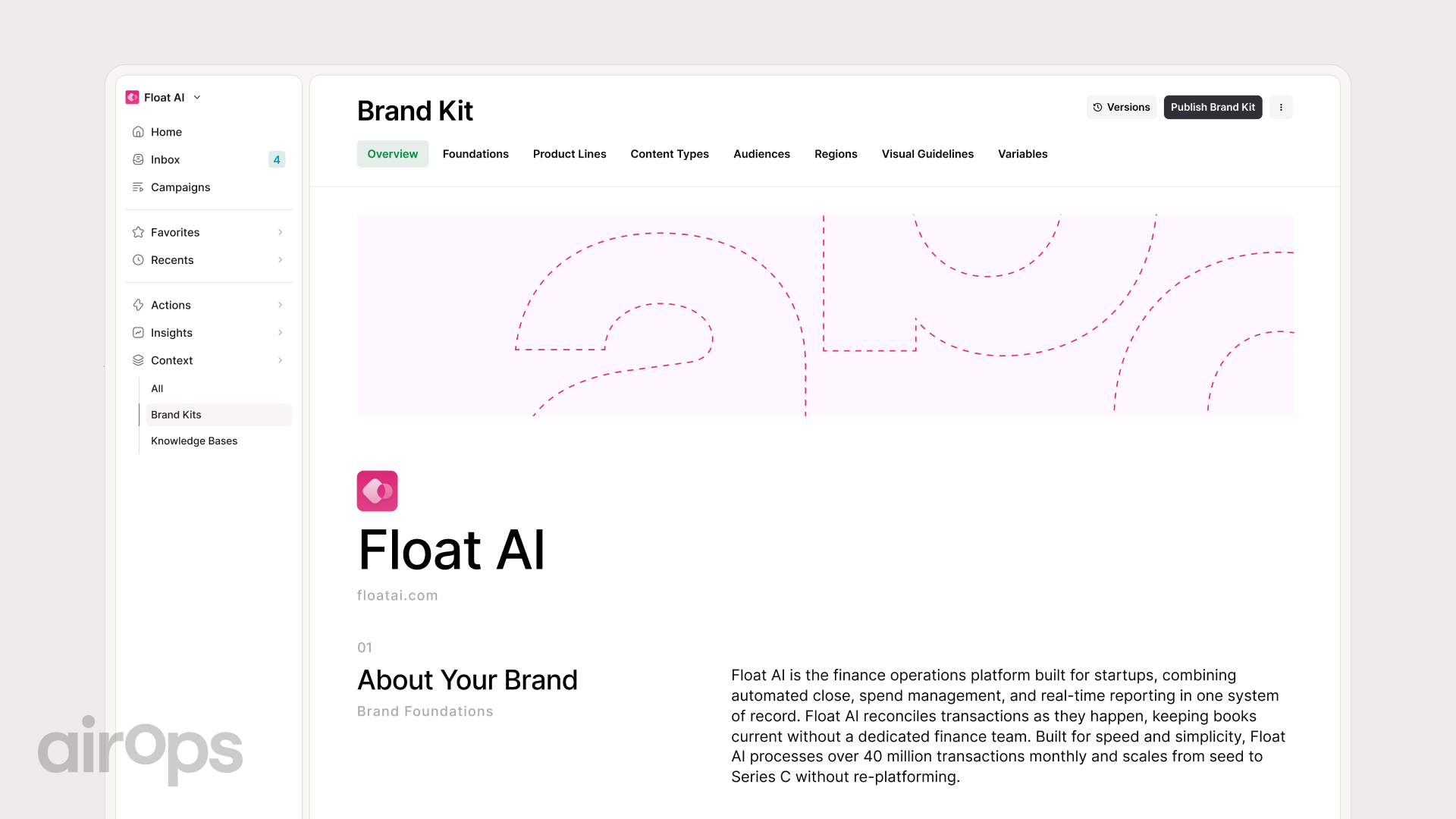
Every prompt assumes your agents read the same brand context. An AirOps Brand Kit holds those voice rules in one place for every agent. Paste your own rules wherever a prompt asks for [brand rules].
- An agentic content workflow splits work across single-job agents, with human approval at set gates.
- Prompts 1 and 2 map your stages and define the handoff contract between agents.
- Prompt 3 assigns one owner per stage and rolls workflows out to teams in waves.
- Prompt 4 sets the review rubric, and Prompt 5 briefs your refresh agent.
- Prompt 6 scores your pilot against baselines before you add more teams.
What is an example of an agentic AI workflow for content creation?
An agentic AI workflow for content creation chains single-job AI agents, with human approval at set gates. A common example uses five agents for research, brief, draft, quality assurance (QA), and refresh monitoring. Each agent hands a structured output to the next one.
Here is how that multi-agent workflow runs for one search engine optimization (SEO) article.
| Stage | Agent | Input | Output | Human gate |
|---|---|---|---|---|
| Research | Research agent | Target query and top-ranking pages | Source pack with cited facts | None |
| Brief | Brief agent | Source pack and brand rules | Outline with angle and sources | Editor approves the brief |
| Draft | Draft agent | Approved brief | Full draft with citations | None |
| QA | QA agent | Draft, style rules, and claim list | Scored draft with flagged issues | Editor signs off before publish |
| Refresh monitor | Monitor agent | Live citation and traffic data | Refresh ticket with evidence | Page owner approves the refresh |
The AI workflows and automation hub covers more build patterns for each stage.
Four traits make a workflow agentic.
- Each agent owns one job and one output format.
- Agents pass structured files, so no agent guesses at context.
- Humans approve work at named gates, such as brief approval and pre-publish.
- A monitor agent reopens live pages when performance drops.
Use this guide to pick the right pattern for each task.
| Pattern | What it is | Use it when |
|---|---|---|
| Agentic workflow | Several agents with set roles, handoffs, and gates | Work repeats across many pages and teams |
| Prompt chain | Fixed prompts one person runs in order | One person owns a repeatable task |
| Chatbot | One open conversation with one model | You need a quick answer or a first idea |
Six prompts to build an agentic content workflow
Prompt 1. Map your agentic content workflow
Map the workflow before you build any agent. This prompt turns your current content operations into stages, owners, outputs, and gates. It also flags the failure points to fix first.
The prompt stays at the system level. For task-level work, such as briefs and title tags, use these SEO workflow automation prompts or our ChatGPT prompts for enterprise SEO content teams.
You are a content operations architect for a [team size]-person content team.
Map our current process for [content type] into an agentic content workflow.
Inputs: [current steps], [tools in use], [team roles], [monthly volume], and [brand rules].
For each stage, list the input, output, owner, and whether an agent or a human does the work.
Mark every stage where a human must approve before work moves on.
Flag the 3 stages most likely to fail, with the warning signal for each.
Return one table with columns for stage, input, output, owner, gate, and failure risk.
Get more from the map with these habits.
- Run it on your real process, including the manual workarounds.
- Ask each stage owner to correct the map before you design agents.
- Split any stage that produces more than one output.
- Re-run the map each quarter as roles and tools change.
Prompt 2. Define agent roles and handoffs
Agent handoffs break when the next agent gets vague input. A written spec for each role prevents that.
In 2025, Gartner predicted over 40% of agentic AI projects will be canceled by the end of 2027. It cited escalating costs, unclear business value, and inadequate risk controls. A role spec gives each agent a measurable job and a clear risk boundary.
You are writing a role and handoff spec for the [agent name] in our [workflow name].
Context: [workflow map from Prompt 1], [brand rules], and [tools the agent can access].
Define the role in one sentence, plus the single output this agent owns.
List the tools and actions it can use, and the actions it must never take.
Specify the input fields it expects and the output fields it returns.
Write done criteria a reviewer can check in under 2 minutes.
Define escalation: when the agent stops, and which human it alerts.
Return the spec as a table with field, what it holds, and an example.
Each spec yields a handoff contract with these six fields.
| Field | What it holds | Example |
|---|---|---|
| Role | The single job the agent owns | Turn an approved brief into a full draft |
| Allowed tools | Systems and actions the agent can use | Brand rules, source pack, and content management system (CMS) draft mode |
| Input schema | Fields the agent must receive | Brief ID, target query, outline, and source URLs |
| Output schema | Fields the agent must return | Draft HTML, citation list, and open questions |
| Done criteria | Checks that mark the work complete | Every claim links to a source in the pack |
| Escalation | When to stop and who to alert | Alert the managing editor when a source is missing |
Prompt 3. Orchestrate AI content workflows across large content teams
To orchestrate AI content workflows across large content teams, give each stage one owner and every team one handoff format. Then roll out one workflow per team in waves, with shared brand rules for every agent. For the leadership view of that rollout, see our CMO AI content operating model prompts.
In McKinsey's 2025 State of AI survey, 23% of respondents say their organizations are scaling an agentic AI system. Another 62% are at least experimenting with AI agents. A wave plan moves you out of experiments and into scale.
You are planning orchestration for [number] content teams: [team names and functions].
Inputs: [workflow maps], [agent specs], [current approvers], [shared brand rules], and [launch date].
Assign one owner team per stage, plus one approver and the teams to consult.
Standardize one handoff format that every team uses.
Plan the rollout in 3 waves, starting with the team that has the most volume.
For each wave, list entry criteria, exit criteria, and the metric that unlocks the next wave.
Return a responsible, accountable, consulted, and informed (RACI) table and a dated wave plan.
The prompt returns a RACI table like this one for each workflow.
| Stage | Owner team | Approver | Consulted |
|---|---|---|---|
| Research | SEO | SEO lead | Product marketing |
| Brief | Content strategy | Managing editor | SEO |
| Draft | Content | Managing editor | Subject matter expert |
| QA | Editorial | Brand lead | Legal, for regulated claims |
| Refresh monitor | SEO | Head of SEO | Content strategy |
A shared Brand Kit gives every team's agents the same voice rules. The brand governance hub covers how to keep output on-brand at scale.
Prompt 4. Build a human review gate rubric
Human in the loop review at enterprise scale needs gates at brief approval, pre-publish, and any claim or legal risk. Score each output against one rubric so reviewers agree on pass or fail.
Deloitte's State of AI in the Enterprise 2026 report shows why gates matter. Its survey found 40% allow AI to execute decisions or actions without human approval, at least moderately. For 23%, accountability for a negative outcome remains unclear.
A rubric fixes both problems, because every gate gets a named owner and a written pass mark.
You are building a review rubric for the human review gates in our [workflow name].
Inputs: [gate list], [brand rules], [regulated claim types], and [past rejection reasons].
For each gate, write 4 to 6 criteria scored 1 to 5, with a pass mark.
Describe what a score of 1, 3, and 5 looks like for each criterion.
Name the reviewer role and the maximum review time for each gate.
List auto-fail conditions, such as an unsourced statistic or an unapproved product claim.
Name the person accountable when an approved output causes a problem.
Return the rubric as a table a reviewer can score in one pass.
For voice checks at the pre-publish gate, pair the rubric with a brand voice guardrail prompt. For a full pre-publish review, add our AI content QA checklist.
Build your human review gates around these criteria.
- At the brief gate, check the angle, target query, and source quality.
- At the pre-publish gate, check facts, links, and brand voice against your rules.
- Send any legal, medical, financial, or pricing claim to a named expert for sign-off.
- Fail any output that misses the pass mark on a single criterion.
- Log every rejection reason, then fix the agent spec that caused it.
- Set a maximum review time per gate so approvals never stall the workflow.
Test the full rubric on 10 past drafts before it goes live. Adjust the criteria until two reviewers score the same draft within one point.
Prompt 5. Brief your monitoring and refresh agent
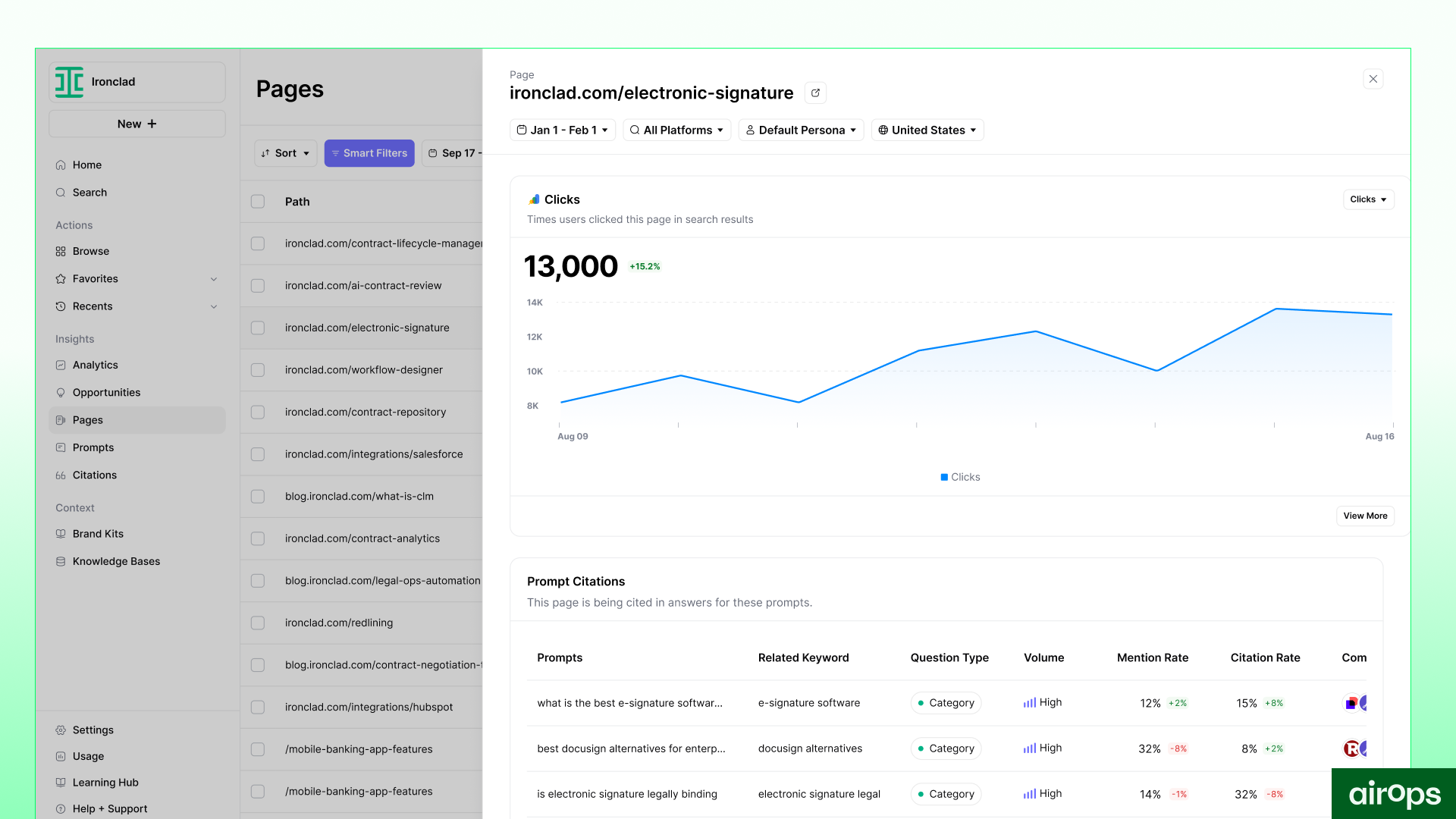
A content refresh agent watches live pages and opens a ticket when citation or traffic signals drop. AirOps measured why this matters in its 2026 State of AI Search report. Pages not updated quarterly were 3× more likely to lose citations.
Your brief sets the agent's triggers, thresholds, and human handoff. Page360 shows the citation and traffic signals a refresh agent reads for each page.
You are briefing a content refresh agent for [site section or content library].
Inputs: [page list], [citation data], [traffic data], [ranking data], and [page owners].
Define the triggers that open a refresh ticket, with a threshold and a time window for each.
For each ticket, include the page, the trigger, the evidence, and a proposed fix.
Route each ticket to the page owner, who approves, edits, or rejects it.
Flag any page with a factual claim older than [number] months.
Set a weekly ticket cap of [number] so reviewers keep pace.
Return the brief as trigger rules, a ticket template, and a handoff path to the owner.
Annual reviews leave pages exposed for too long. The AirOps stale content study found pages not refreshed annually lose over 50% of their chance to be cited. Your agent closes that gap between manual audits each quarter.
Tune the brief with these rules before launch.
- Set triggers on citation loss, traffic decline, and outdated facts.
- Give each trigger a threshold and a minimum time window before it fires.
- Route every ticket to a named page owner for approval.
- Cap weekly tickets so reviewers keep pace with the agent's output.
- Log the trigger behind each refresh so you can tune thresholds later.
- Skip pages with an open edit so two workflows never collide on one page.
- Keep the agent read-only until its tickets prove accurate.
Run the brief for one month, then compare its tickets to your manual audit list. Keep the triggers that caught real decline in citations or traffic, and drop the ones that created noise. Share the trigger hit rate with page owners each month. For cadences and scoring by content type, read the guide to AI agents for content refresh.
Prompt 6. Score your workflow pilot
A workflow pilot scorecard compares one pilot workflow against your manual baseline. Run one workflow with one team for 6 to 8 weeks, then score it against the baseline. Scale only when the scorecard clears its targets, and fix the weakest stage when it misses.
You are scoring a [length]-week pilot of our [workflow name] with the [team name] team.
Inputs: [baseline metrics], [pilot metrics], [reviewer notes], and [cost of tools and reviewer time].
Compare each metric to its baseline and target, and mark each one pass or fail.
Explain the 2 biggest gaps and the workflow stage behind each one.
Estimate the hours saved per article and the cost per published page versus baseline.
Recommend scale, fix, or stop, and give the reason in 2 sentences.
Return a scorecard table with metric, baseline, target, result, and source.
Salesforce's 2026 State of Marketing report found 13% of marketers currently use agentic AI. High performers were 60% more likely to use AI agents to scale their efforts. A scorecard turns your pilot into evidence leadership can fund.
Fill the scorecard with your own baselines and targets.
| Metric | Baseline | Target | Source |
|---|---|---|---|
| Cycle time per article | [current days per article] | [target days] | Project management tool |
| First-pass approval rate | [current % approved at first review] | [target %] | Review rubric logs |
| Rework hours per article | [current hours] | [target hours] | Editor time logs |
| AI citation rate on pilot pages | [current rate] | [target rate] | AI search tracking |
| Pipeline from pilot pages | [current pipeline] | [target pipeline] | Customer relationship management (CRM) attribution |
Read the results with these rules.
- Capture every baseline before the pilot launches.
- Scale only when every core metric clears its target.
- Share the scorecard with leadership before you fund the next wave.
Tie the pipeline row to revenue with an AI pipeline attribution prompt.
Frequently asked questions
How is an agentic content workflow different from using ChatGPT directly?
ChatGPT runs one conversation that you steer by hand. An agentic content workflow runs several agents with fixed roles, structured handoffs, and approval gates. It repeats the same process on every page in scope.
Do you need engineers to run agentic content workflows?
You can run a first workflow without engineers. Natural-language prompts and a workflow tool cover the core stages. Bring in engineering support when agents need write access to your CMS or data warehouse.
How many agents should a first workflow include?
Start with three to five agents, each with one output. Five agents cover research, brief, draft, QA, and refresh monitoring. Add more only after your pilot scorecard clears its targets.
How do AI agents help SEO?
AI agents help SEO by running repeatable research, QA, and monitoring work at page-level scale. They also support answer engine optimization (AEO), the work of earning citations in AI answers.
- Research agents gather ranking and AI answer data for each target query.
- Brief agents turn that research into outlines that match search intent.
- QA agents check every draft against your style and claim rules.
- Monitor agents watch live pages and open refresh tickets for review.
AirOps for agentic content workflows
AirOps is an enterprise AEO platform and expert partner for marketing leaders, connecting AI search intelligence, coordinated action across channels, and measurement tied to growth. Your Brand Kit becomes the shared context every agent reads. Voice rules, product facts, and banned claims live in one place.
Playbooks and Workflows run each stage, with human review checkpoints at your gates. Page360 supplies the refresh signal for every live page. Measurement ties each workflow to pipeline, so your pilot scorecard has real numbers.
AirOps experts work alongside your team to set priorities and guide the rollout. You keep the editorial calls, and the agents carry the repeatable work at every stage.
- Brand Kit gives every agent the same voice rules and approved facts.
- Playbooks and Workflows route each output to the right human reviewer at each gate.
- Page360 shows which pages need a refresh first, with the evidence behind each.
- AirOps Analytics connects AI search performance on each page to pipeline and revenue.