Blog Linking Strategy: Proven Tactics for SEO Growth

- Strategic linking concentrates authority on priority pages instead of spreading it evenly across every post
- Topic clusters help search engines interpret depth and expertise, not just keyword coverage
- Broken links, orphan pages, and outdated connections quietly erode SEO value if teams don't review them regularly
- Scaled blog linking requires systems that surface gaps and opportunities, not manual linking page by page
- Internal links act as ranking signals, telling search engines which blog pages carry the most weight across your site
Most blogs treat internal links as cleanup work. A few links get sprinkled into a post, a “related articles” module sits at the bottom, and the job feels done.
The sites that win search don’t treat linking that way. They use blog linking as a deliberate growth system. Every link helps search engines discover content, understand topical relationships, and prioritize what matters most.
This guide explains how blog linking works, what to avoid, and how to scale linking across a growing content library without turning it into busywork.
What blog linking is and why it drives SEO results
Blog linking is the practice of connecting blog posts through hyperlinks. These links fall into two categories:
- Internal links point to pages on your own site
- External links point to pages on other sites
Search engines use links to discover content, interpret topic relationships, and assess which pages deserve visibility. When one post links to another, it signals relevance and importance.
Internal links do more than move users around your site. They shape how search engines understand your content library as a whole.
Strong blog linking supports:
- Crawlability: links create clear paths for search engines to find and index pages
- Authority flow: links pass ranking signals between related pages
- Reader experience: links guide readers to the next useful answer
Internal links vs external links in your blog
Internal and external links serve different roles, and strong blogs use both intentionally.
Internal links help search engines understand your site structure and keep readers moving through related content. External links show your sources and connect your content to trusted references.
You’ll usually include more internal links than external links in a blog post. Internal links build your own topical authority. External links support credibility.
Internal linking best practices for SEO
Effective internal linking follows a few consistent principles. These focus on clarity, relevance, and intent, but not volume.
Use clear, descriptive anchors
Each link should describe what a reader will find on the destination page. Avoid generic phrases that add no context.
For example, link to a “content audit checklist” instead of using a vague reference. Clear anchors help readers and search engines set expectations.
Place links early when they matter
Links placed near the top of a post often get more attention from readers and crawlers. If a link supports the core idea of the article, surface it early instead of burying it at the end.
Link between content-rich pages
Pages with depth pass more value through links than thin pages. Prioritize links between your strongest, most comprehensive posts so authority circulates where it matters.
Keep link volume intentional
Too many links dilute the value passed to each destination. They also overwhelm readers. After 45-50 internal links, Google traffic actually begins to decline, but relevance matters more than quantity. If a link doesn't genuinely help the reader, leave it out.
Link to the pages you want to grow
Internal links act as signals. When multiple posts point to the same destination, search engines interpret that destination as important. Use links to reinforce priority pages, not just recent ones.
Add links every time you publish
Every new post should connect to existing content. When possible, update older posts to point back to new ones. Over time, this creates a living network instead of isolated articles.
Keep internal links followable
Internal links should remain standard, followable links so authority can move freely across your site.
Common blog linking mistakes to avoid
Even strong teams make linking mistakes that quietly weaken performance.
- Overloading posts with links: When every sentence includes a link, nothing stands out. Too many links hurt readability and reduce the impact of each one.
- Using vague or repeated anchors: Links like “this article” or “learn more” waste valuable context. Repeating the same anchor text everywhere also limits how search engines interpret relevance.
- Letting broken links accumulate: Broken links and redirect chains frustrate readers and waste crawl budget. Regular audits prevent this from piling up.
- Relying only on navigation links: Menus and footers help orientation, but contextual links inside content signal stronger topical relationships.
- Ignoring older posts: New content often launches without connections to older, relevant posts. That leaves value on the table and keeps newer pages isolated longer than necessary.
How to build topic clusters with internal links
Topic clusters give your blog a clear center of gravity. Instead of treating every post as a standalone asset, clusters group related content around a shared theme and connect it through intentional internal links.
At the center is a pillar page that frames the topic at a high level. Around it sit cluster posts that explore specific angles in more detail. Internal links tie these pages together so both readers and search engines can follow the relationships.
- Pillar page: a broad overview of a core topic, such as content marketing fundamentals
- Cluster posts: focused articles on related subtopics like distribution, planning, or measurement
- Internal links: bidirectional links that reinforce how these pages relate
This structure helps search engines interpret topical depth instead of isolated relevance. When multiple related posts consistently link back to a shared core page, it signals subject-matter authority rather than one-off coverage.
For readers, clusters reduce friction. Instead of hunting through archives or navigation menus, they can move naturally between related ideas as their questions evolve.
How to audit and maintain blog links
Link maintenance prevents decay. A quarterly audit keeps your internal linking structure healthy and catches problems before they compound.
Step 1: Crawl your site to surface link issues
Use a site crawler like Screaming Frog or Sitebulb to generate a full map of internal links. Crawlers reveal broken links, redirect chains, and orphan pages in one report.
Step 2: Find and fix broken links
Identify 404 errors from your crawl report. Either update the link destination to a working page or remove the link entirely. Broken links hurt user experience and waste crawl budget.
Step 3: Analyze your anchor text distribution
Review whether your anchor text is varied and descriptive. Flag any pages receiving links with identical or generic anchors. Diverse, relevant anchor text performs better than repetitive phrases.
Step 4: Connect orphan pages with internal links
Pages without internal links remain hard for search engines to discover. Add links from relevant content to pull them into your structure.
Step 5: Set a recurring audit schedule
Schedule link audits quarterly or after major content updates. Consistent maintenance prevents link rot from accumulating over time.
Advanced blog linking tactics for scale
As blogs grow, manual linking becomes harder to maintain. Tooling helps teams stay consistent without slowing publishing.
Use site crawlers to spot weak areas
Crawlers reveal which pages receive few internal links and which dominate authority. This makes prioritization easier.
Add CMS link suggestions
CMS (content management system) plugins like Link Whisper or Yoast suggest relevant internal links as you write. The suggestions speed up the linking process and reduce missed opportunities.
Automate internal linking with AI tools
AI can analyze large content libraries and recommend links at scale. AirOps supports teams by connecting insights to execution while keeping humans in review, helping maintain structure across hundreds of posts.
How blog linking supports AI search visibility
Clear internal link structures help AI systems understand how your content fits together. When pages connect through logical clusters and consistent internal links, models can trace relationships between topics and identify where authority lives.
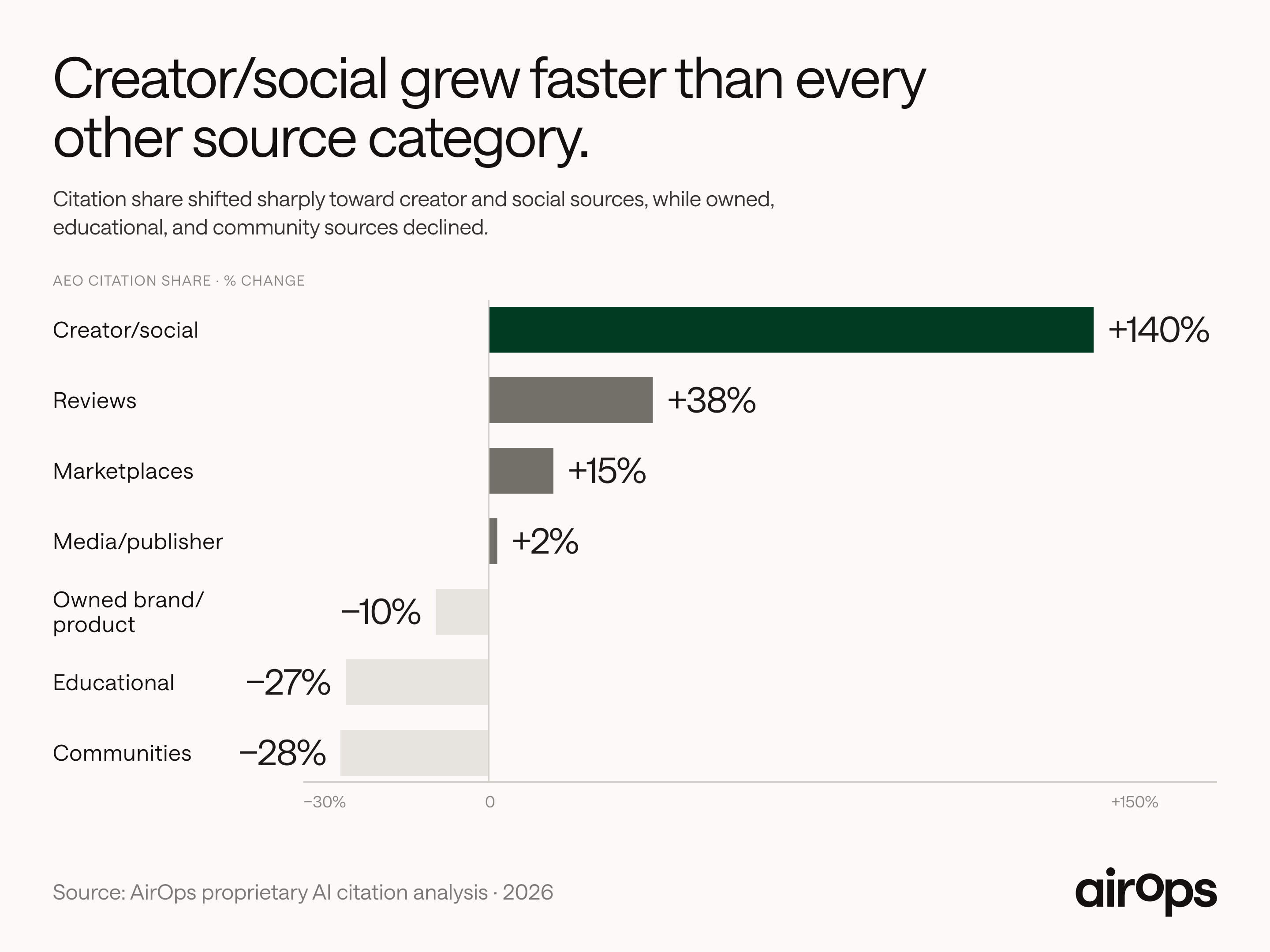
That structure works best when it evolves over time. In AirOps research, top-performing brands earned up to 4.8× more AI citations by combining structured pages with regular content updates, rather than relying on one-off publishing.
“Content refresh is always in my top three. Google rewards that with a freshness signal.” — Kevin Indig
Internal linking plays a key role in that compounding effect. Each new or refreshed post reinforces the rest of the system, helping AI search engines interpret which pages matter and which stay relevant.
In AI Search, visibility favors content that stays connected and current—not pages that launch once and stand alone.
Build links that compound over time
Blog linking works best when it operates as a system, not a one-off task. Intentional links help search engines understand what matters, help readers move naturally between related ideas, and help strong content lift the rest of your library over time.
As your blog grows, maintaining that structure takes more than manual updates. You need visibility into how content connects, where gaps exist, and which pages deserve more support—without sacrificing quality or editorial judgment.
Book a demo to see how AirOps helps teams turn blog linking into a scalable, repeatable growth system.
Win AI Search.
Increase brand visibility across AI search and Google with the only platform taking you from insights to action.
Get the latest on AI content & marketing
Get the latest in growth and AI workflows delivered to your inbox each week
.avif)