As search changes, users increasingly expect direct, authoritative answers—often without clicking through to a website.
Google and other AI-powered engines now select the single most credible, relevant response to a user’s question. If your content isn’t clearly positioned as the answer, it risks being overlooked.
That’s where adopting E-E-A-T for AEO is essential to sustain visibility in search.
(If you’re still getting familiar with AEO as a discipline, this guide on Answer Engine Optimization breaks down how it differs from traditional SEO and why it matters.)
Google’s framework - Experience, Expertise, Authoritativeness, and Trustworthiness - now acts as a gatekeeper for what ranks highly, especially in voice results and featured snippets where only one answer is shown.

Content needs more than keywords. It needs to demonstrate credibility, deliver clarity, and align with how people actually search whether they’re typing, tapping, or asking out loud.
Partners like AirOps apply E-E-A-T signals during content creation, structuring pages with author attribution, sourced claims, and clear expertise markers.
Understanding E-E-A-T: Key to Answer Engine Optimization (AEO)
What Is E-E-A-T and Why Does It Matter for Answer Engine Optimization?
E-E-A-T stands for Experience, Expertise, Authoritativeness, and Trustworthiness.
Google uses these four pillars to assess content quality and determine which answer earns the spotlight when only one can be shown.
For Answer Engine Optimization (AEO), E-E-A-T becomes even more critical.
Unlike traditional SEO, which aims for top rankings, AEO is a battle for position zero, ie the zero-click content. It’s about being the single result that shows up in a featured snippet or in ChatGPT or Perplexity.

Content needs more than keywords. It must demonstrate credibility, deliver clarity, and align with how people actually search—whether they’re typing, tapping, or asking out loud. Strong E-E-A-T principles are the foundation of E-E-A-T for AI search optimization, shaping which pages answer engines choose to cite as the answer.
Breaking Down E-E-A-T: The 4 Signals That Matter
- “Experience” indicates that the content comes from someone who’s been there, done that, and understands the details firsthand. For AEO, direct experience is non-negotiable. Your insights need to come from real-world practice, not secondhand summaries or surface-level theory.
- “Expertise” refers to deep knowledge. Search engines favor creators who demonstrate technical understanding, especially when accuracy is critical. This is especially important for topics that fall under Your Money or Your Life (YMYL) where the cost of misinformation is high.
- “Authoritativeness” is about reputation. Google selects voices recognized as trusted in their field, supported by credentials, citations, or media coverage. That authority can come from credentials, citations, mentions, or media coverage.
- "Trustworthiness" signals that content is accurate, transparent, and dependable. This includes fact-checking, sourcing, and maintaining content integrity.
To succeed at AEO, your content needs to nail each of these pillars.
The 6 Steps to Align Your Content with E-E-A-T for Better AEO Results
Here’s how you can apply these E-E-A-T pillars to your content to see real impact. These AEO best practices work as core AEO principles for making content AI-digestible, well structured, and easy for answer engines to cite. These steps form a repeatable approach to E-E-A-T for AEO content creation.
Apply these six steps to see real impact on your Answer Engine Optimization:
- Perform a content audit – Identify gaps in trust, authority, and hands-on knowledge. Ensure each piece directly answers specific questions with credibility.
- Map the user journey and analyze winning snippets – Use tools like the AirOps visibility dashboard and competitive analysis to uncover what answer engines cite and reverse-engineer what’s working.
- Demonstrate experience and expertise – Include author bios with credentials, document real processes, and assign qualified writers to technical topics.
- Build your authority – Earn citations from reputable sites, contribute to industry publications, and showcase social proof through testimonials and media coverage.
- Enhance trust – Implement fact-checking, disclose affiliations, and keep content fresh with regular updates.
- Optimize for AI and Answer Engines – Structure content with question-based headings, schema markup, and natural language that mirrors search queries.
1. Perform a content audit
Start by critically auditing your content. Look for gaps not just in coverage, but in how clearly each piece demonstrates trust, authority, and hands-on knowledge.
If your content doesn’t directly answer real questions with real credibility, it won’t earn a spot in answer-driven search.
Review each piece individually.
Ask: Does this clearly and directly answer a specific question?
The best-performing pages lead with a concise answer, then expand with context or examples.
For instance, see how Perplexity answers “the best accounting software for a solopreneur” with a direct, structured response:

Look for evidence of firsthand experience, such as case studies or documented workflows.
Claims should be backed by credible sources—respected publications, peer-reviewed research, or trusted industry experts.
Finally, check your formatting. Answer engines favor clarity, short paragraphs, question-based subheadings, and numbered steps or tables, especially if these structures match featured snippets.
2. Map the user journey (& even ask the LLMs)
After the audit, focus on the user journey.
What questions do people ask at each stage? Use tools like AnswerThePublic, AlsoAsked, and Google’s “People Also Ask” to uncover real search patterns.
Map these questions to awareness, consideration, and decision stages to shape your content strategy.
Don’t skip competitive analysis.
Study who’s winning featured snippets for your target keywords and analyze their structure, expertise, and formatting.
You can even ask LLMs like Perplexity why they cited certain results, providing a roadmap for improvement.
For example, after searching “best accounting software for a solopreneur,” Perplexity explains its reasoning:

Step 3: Demonstrate experience & expertise
Experience is a powerful indicator of content credibility. Google’s addition of “Experience” to the E-E-A-T framework reflects the growing importance of firsthand knowledge.
Content rooted in real involvement, such as case studies or personal insights, is more likely to be trusted and featured.
To infuse your content with “Experience,” start with attribution. Every article should be tied to a person, not just a brand.
Author bios should include years in the field, roles held, notable projects, and relevant accomplishments. Link to proof—portfolios, case studies, or video walkthroughs. Document processes with step-by-step workflows and screenshots.
As Zoe Ashbridge notes, “AI can never demonstrate true experiences of anything. At best, it can make assumptions about the human experience, but the content it generates won’t be unique.”
Expertise gives your content weight.
Google makes this distinction clear in its Search Quality Rater Guidelines. That single shift from summarizing to showing can determine whether your content earns a featured spot or gets ignored.
Assign technical, legal, financial, or medical topics to qualified writers. Google applies higher standards to Your Money or Your Life (YMYL) topics, so credentials matter.
If you reference stats, explain their source and relevance. Walk readers through methodologies for transparency.
Expertise also shows in how you handle details—use proper terminology, break down complex ideas, and anticipate reader questions.
.png)
Step 4: Build your authority
Authority is earned through consistent signals that your content is respected and cited. This extends beyond your site—how others link to, mention, or reference your work matters. One of the most effective ways to build authority is through strategic collaboration. Contribute guest articles to trusted publications, collaborate with recognized experts, and participate in industry events to earn citations and backlinks from reputable sites.
A single mention from a respected publication can outweigh dozens of low-value links. Social proof—testimonials, media coverage, and expert quotes—reinforces authority. Highlight your structure, leadership, and mission on your site, and showcase customer logos, partners, and awards.
Earning citations and backlinks from reputable sites is one of the strongest signals of authority. When trusted domains link to your content or mention your brand, search engines take notice. It tells the algorithm you’re not just publishing, you’re also being recognized.
For example, here are some of the top domains referring to AirOps, including top-tier sites like:

Step 5: Enhance trust
Trust sits at the center of Google’s E-E-A-T model and for good reason and it’s a good thing to aim for with AEO and LLMs, too. Trustworthiness is informed by experience, expertise, and authoritativeness. But it’s also about protecting visitors from potential harm and giving them confidence in your website/content.
Everything from your tone to your fact-checking process contributes to whether readers and search engines see your content as safe and reliable. Without trust, even the most experienced or authoritative content won’t earn visibility. Google and other answer engines are cautious about what they surface, especially in categories where accuracy matters. That means your content must prove it’s reliable.
Every statistic, claim, and recommendation needs to be verified. Create a formal process for fact-checking before publishing.
Use clear sourcing for key information, and avoid vague or outdated references. If you quote a figure, explain where it came from and link to the original source if possible. These small details help reinforce that what you’re sharing is current, reviewed, and maintained.
If your site includes affiliate links, sponsored content, or monetization of any kind, say so. Trying to hide that information only creates doubt.
Trust also comes from consistency. Build review cycles into your publishing workflow and assign ownership so each post gets regular updates, especially if the topic changes often. Version histories or visible update logs show both users and algorithms that you’re not letting your information go stale.
If users share any personal information, explain what happens to it and how it’s protected. Even technical signals like site speed, mobile performance, or accessibility can affect how trustworthy your content appears.
For higher-stakes industries, go further. A financial planning site should emphasize data security protocols. A healthcare company should highlight compliance with HIPAA or other regulations. In legal or academic contexts, authorship and citation become non-negotiable.
You can also build a dedicated trust section for high-impact content. Include an overview of the research process, fact-check status, expert contributors, and a list of citations. Think of it as a mini proof-of-work section that sits alongside your core content.
The goal is to leave no doubt. The more you can demonstrate integrity, accuracy, and transparency, the easier it becomes for answer engines to recommend your content and for people to believe it once they do.
Step 6: Optimize for AI and Answer Engines
Strong content backed by E-E-A-T principles is essential, but without technical alignment, it won’t get selected.
Answer engines need structure. They rely on clear formatting, machine-readable signals, and language that mirrors how people actually search.
Start with the way you frame questions. Use subheadings that echo real queries - what someone might type or say into a search bar. Write the answer immediately below, clearly and concisely. If the question is “What’s the best way to reduce cart abandonment?” lead with a direct response. Don’t bury it in a long introduction.
After the answer, expand with supporting details. Break down why it works, what to watch for, and how to apply it. This layered structure helps AI understand both the immediate answer and the broader context.
You should also group related questions together. If a topic has follow-up queries, keep them on the same page. Cross-linking helps too, guiding users to adjacent content that deepens their understanding. Internal linking improves navigation, and it signals topical authority to search engines.
Don’t forget to optimize your schema markup. Use FAQ schema for pages that answer common questions. Apply HowTo schema for step-by-step instructions. Include Author and Article schema that highlights credentials, and add Organization schema to reinforce brand authority.
These elements provide search engines with a blueprint for how to interpret your content.
For your voice search strategy, use natural language. Answer in full sentences. Keep explanations conversational without losing clarity and avoid robotic phrasing or overstuffing keywords. AI tools respond better to language that feels intuitive. Thus, study the types of featured snippets already showing for your target keywords.
If they’re mostly paragraph snippets, match that format and keep your answers in the 40- to 60-word range. If it’s a list or a table, use that structure.
These formatting decisions aren’t cosmetic - they have a measurable impact. When your content is optimized both technically and structurally, even small improvements in rank can translate into big gains in traffic. Always clarify terms your audience might not know. Define acronyms, add context for niche topics, and address common misconceptions head-on.
The clearer and more complete your answer, the more useful it becomes for readers and the AI systems. Structure alone won’t make your content great, but it will amplify its effectiveness. When your format matches how people search, and how AI interprets intent, context, and trust, you dramatically improve your chances of capturing position zero. Google’s AI Overviews now pull from high-authority sources that align closely with search behavior and content structure.
For a deeper dive into how AI and SEO, learn how SEO experts like Kevin Indig are adapting strategies for AI search.
Here are a few takeaways:
- Top-Funnel Transformation
AI overviews are fundamentally changing how users interact with informational queries, requiring a fresh approach to content strategy. - Click-Through Rate Impact
Both organic and paid search results are seeing reduced CTRs due to AI overviews, necessitating new measurement metrics and strategies. - Content Structure Evolution
Success in AI-driven search requires well-structured, authoritative content that aligns with AI overview formats. - Metric Shift
Traditional SEO metrics are giving way to new measures of visibility and influence in AI-generated results. - Strategic Adaptation
Organizations need to balance AI optimization with deeper funnel content to maintain effective search presence.
How Answer Engines Verify Trust Through Offsite Signals
Answer engines judge trust from more than your own pages. They weigh how often independent, credible sources mention and cite your brand. This is where E-E-A-T for answer engines extends beyond your site.
AirOps research shows that 85% of brand mentions in AI search come from external domains. A recent AirOps webinar framed the same idea as consensus: answer engines trust a brand when many independent sources say the same thing.
Build offsite authority with a few focused moves:
- Earn external citations from respected industry publications.
- Stay active on the platforms answer engines read most, including LinkedIn, Reddit, and YouTube.
- Keep your brand story consistent across every third-party mention.
- Treat offsite signals as a core part of your answer engine optimization strategy, not an afterthought.
Do citations from pages with strong E-E-A-T rank higher in AI search?
Yes, in practice, though not through a direct ranking factor. Google uses E-E-A-T in its Search Quality Rater Guidelines to judge content quality, and answer engines favor the same credible, well-sourced pages when they pick which source to cite.
AirOps research shows the pattern. Brands that earned both a citation and a mention were 40% more likely to resurface across repeated AI search runs than brands cited alone, and the consistently cited pages shared traits like rich schema, sequential headings, and scannable formatting.
Put these signals to work to earn E-E-A-T-driven citations:
- Lead every answer with a direct, sourced response an engine can quote.
- Attribute each page to a named author with real credentials and firsthand experience.
- Back claims with primary sources, original data, and a clear methodology.
- Build topical authority clusters so related questions connect across your pages.
- Earn consistent third-party citations, the strongest offsite trust signal for E-E-A-T for answer engines.
Strong E-E-A-T makes your page the safe choice when an engine can cite only one source.
Using Schema Markup and Structured Data for AEO
Schema markup tells answer engines what your content means, not just what it says. Structured data makes your pages easier to parse, quote, and cite. It is one of the most reliable answer engine optimization best practices for winning featured snippets and AI citations.
Focus on the schema types that map to how people ask questions:
- FAQ schema for pages that answer common, specific questions.
- HowTo schema for step-by-step instructions and processes.
- Article and Author schema to surface credentials and E-E-A-T signals.
- Organization schema to reinforce brand authority across your site.
Structured data pairs best with AI-digestible content: clear headings, direct answers, and short paragraphs. For a deeper walkthrough, see our guide to schema markup for AEO.
How to write AI-digestible content for AEO
AI-digestible content answers one question per section in language an engine can lift directly. Structure it so the answer comes first, then the supporting detail. This is the format answer engines reward with citations.
Use these AI-digestible content best practices for AEO:
- Open each section with a direct answer of 40 to 60 words.
- Frame headings as the exact questions people ask.
- Keep paragraphs to two or three sentences and lead with the point.
- Use bullets, numbered steps, and tables so key facts are easy to extract.
- Define acronyms and key terms on first use.
- Add FAQ and HowTo schema so engines can map questions to answers.
Clear structure does not replace expertise, but it makes your expertise easy for answer engines to quote.
Measuring E-E-A-T Impact on AEO Performance
Once you’ve implemented E-E-A-T strategies, the next step is measurement. You need to know what’s working, where momentum is building, and where to focus next.
The numbers speak for themselves: the top spot in Google earns 27.6% of all clicks, and the top three results capture over 54% of total traffic. In a zero-click SERP, visibility at the top is the clearest indicator that your AEO strategy is working. Featured snippets and high-ranking answers are where measurable impact begins. Without a system for tracking impact, you cannot refine your approach or prove value over time.
To start tracking, begin with featured snippet performance. Monitor how often your content appears in position zero and how long it stays there.
Tools like Semrush or Ahrefs can help track ownership across key queries, and be sure to look at the types of snippets you’re winning - paragraphs, lists, tables - and map that back to formatting choices and content structure.
.png)
To track engagement signals, review click-through rates for content that holds featured snippets. Track time on page, bounce rates, and conversion paths for those same URLs. Strong E-E-A-T pages should hold attention longer and drive more meaningful actions. If users land and immediately leave, that’s a red flag even if you’re ranking well.
Authority metrics offer a long view. Keep an eye on domain authority growth, number of referring domains, and citation frequency across other sites. Are more people referencing your content? Are you being quoted in roundups or featured in curated newsletters? These are signs that your reputation is expanding.
Use this as a cue to refresh older content. Bring it up to standard. Small updates whether it’s adding a credential, citing a more recent study, refreshing the format can lead to measurable gains.
Set up a simple dashboard that tracks the metrics that matter - featured snippet wins, brand impressions, backlinks, engagement rates, and authority signals. The point isn’t to chase every data point. It’s to tie your efforts to real outcomes.
When E-E-A-T is done right, the impact compounds: authority builds, visibility grows, and performance improves not just once, but consistently across your entire content library.
Common E-E-A-T Mistakes in AEO Implementation
Even with the best intentions, E-E-A-T is easy to misapply.
Shallow content that lacks nuance or offers nothing new is unlikely to earn a featured spot. Manufactured authority—fake credentials, stock photos, or ghostwritten bios—erodes trust quickly.
AI-generated content without human oversight can slip into “AI Slop”: content that looks polished but falls apart under scrutiny.
Technical issues like inaccurate schema, poor heading structure, or missing metadata also reduce your chances of being featured.
Content that’s never updated goes stale quickly, especially in fast-moving industries. Old stats, outdated references, or irrelevant examples will quietly push your content out of the running.
These are signs that your content isn’t built to lead. Avoiding them means treating your content like a living asset: something you continually audit, improve, and protect like any product or brand you care about.
According to AirOps Research, content that isn’t updated in over 12 months is more than 2X as likely to lose citations and visibility across AI search.
The bottom line: Letting content go stale negatively impacts both search visibility, and revenue–regular content maintenance is the strongest defense against declining visibility. The good news: AirOps research finds that 57% of brands that lose citations resurface in a later AI search run, so refreshed E-E-A-T signals can win visibility back.
The Future of E-E-A-T in AEO
Search is now about delivering the best answer, in the exact format the user needs, at the moment they ask.
As answer engines evolve, E-E-A-T for answer engines will only become more essential to how content is judged and surfaced. Brands that show real experience, cite expert voices, and earn trust are already ahead. Technical elements like structured data and schema matter, but can’t compensate for weak content.
The most consistent results come from teams that embed E-E-A-T into every part of their process—from briefs and topic selection to editing and performance tracking.
Over time, this builds a content library that naturally ranks in a world geared towards AI-first search. When AI delivers the answer, your goal is simple: be the one it chooses.
Recapping E-E-A-T for AI Visibility
Applying E-E-A-T principles in AI search content has become the foundation for visibility in AI-powered search.
To succeed at Answer Engine Optimization, your content must demonstrate genuine expertise, documented experience, earned brand authority, and transparent trustworthiness.
Structured formats, comprehensive coverage, and continuous improvement are essential for both human readers and AI systems.
Embed E-E-A-T principles into every stage of your content process—from research to optimization. The clearer and more credible your content, the more likely it is to be chosen as the answer in AI-driven search results.
How AirOps Can Help With E-E-A-T for AI Visibility
AirOps bridges the gap between E-E-A-T requirements and scalable content operations. Our AI-powered workflows help teams create authoritative, well-structured content that demonstrates expertise while maintaining the human insights that AI systems value. AirOps is the partner for this shift: the platform, the media mix, and the team together, not just software to log into, with a team that builds and runs the strategy alongside yours and ties the work back to pipeline and revenue growth.
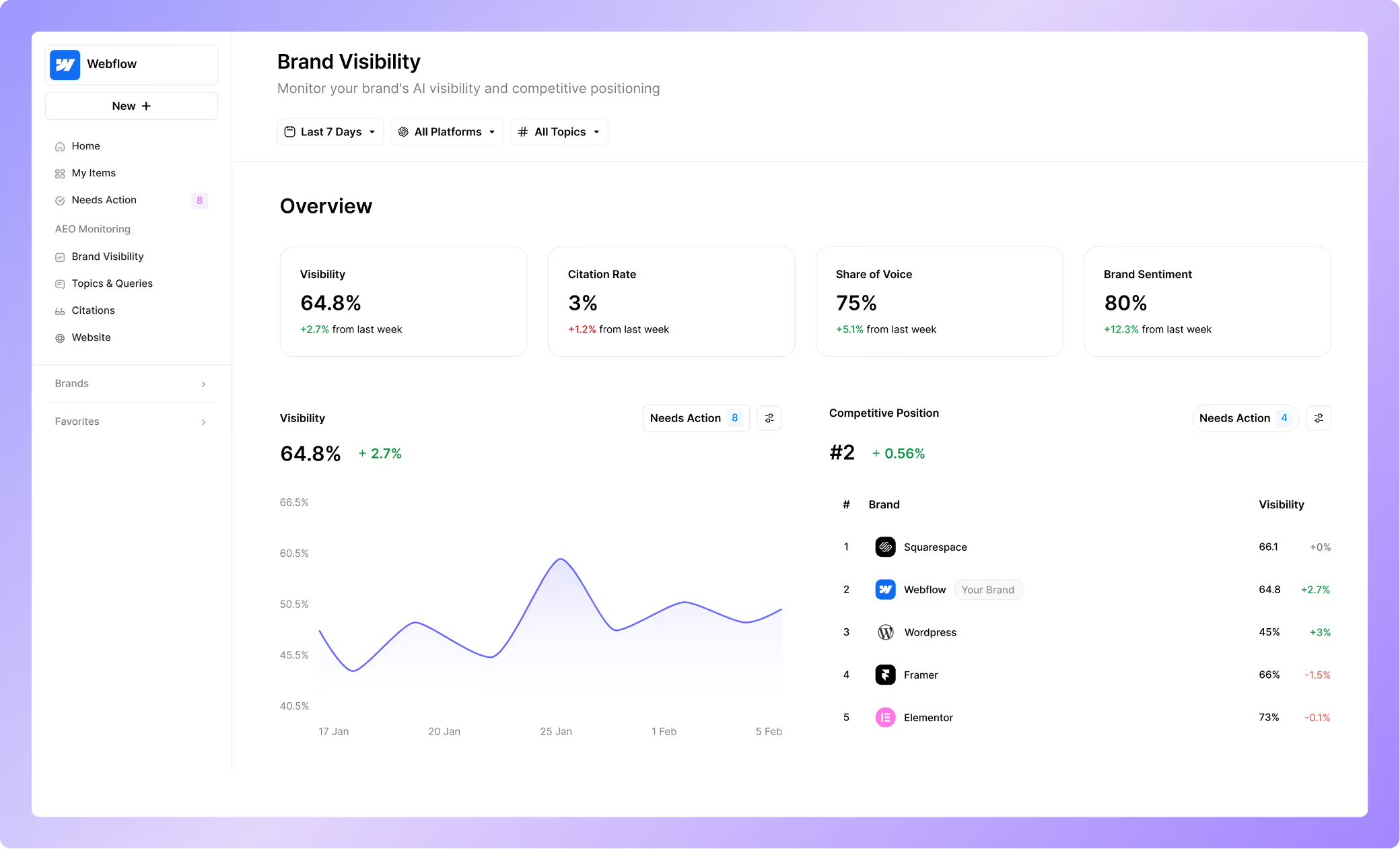
From brand visibility to content optimization frameworks designed for answer engines, AirOps ensures your content meets the technical and quality standards needed for AI visibility.
Ready to transform your content strategy for AI Search?
Book a strategy session to learn how AirOps can help you build E-E-A-T authority at scale.
Frequently Asked Questions
FAQs
How long does it take to see results from E-E-A-T improvements for AEO?
Most sites begin seeing measurable improvements in featured snippet appearances and AI citations within 3-6 months of implementing E-E-A-T optimizations, though authority-building efforts like earning quality backlinks and industry recognition typically compound over 12-18 months for sustained visibility gains.
Can small businesses compete with large brands for AI search visibility?
Small businesses can absolutely compete by focusing on niche expertise and documented firsthand experience that larger competitors often lack. Demonstrating deep specialization in specific topics, showcasing real customer results, and maintaining highly accurate, frequently updated content can outperform generic enterprise content in answer engine selections.
Do I need to hire subject matter experts to improve E-E-A-T for my content?
While hiring credentialed experts strengthens E-E-A-T signals, you can also partner with industry professionals for quotes and reviews, conduct original research, or document your own team's genuine hands-on experience with detailed case studies and process documentation.
How do AI answer engines verify the credibility of content sources?
AI systems evaluate credibility through multiple signals including citation patterns from authoritative domains, consistency of information across trusted sources, author credentials and publication history, and technical trust indicators like proper schema markup and transparent sourcing practices.
Should I prioritize E-E-A-T optimization for all content or focus on specific pages?
Prioritize E-E-A-T optimization for YMYL topics, high-traffic pages, and content targeting competitive featured snippets first. Pages addressing health, financial, legal, or safety topics face stricter quality thresholds and benefit most from enhanced credibility signals.
How does E-E-A-T apply differently to ChatGPT versus Google's AI Overviews?
Both systems favor authoritative, well-structured content, but ChatGPT tends to synthesize information from multiple sources while Google's AI Overviews more directly cite and link to specific pages, making clear attribution and source transparency particularly important for Google visibility.
How does person schema strengthen E-E-A-T for AEO?
Person schema tells answer engines who created your content and why that person is credible. It connects an author to their credentials, roles, and published work, which reinforces the Experience and Expertise pillars E-E-A-T rewards. Pair it with Author and Article schema so AI systems can verify authorship and cite your page with confidence.
What are AEO best practices for citations, sources, and E-E-A-T?
Cite a primary source for every statistic, attribute each page to a credentialed author, and link claims to original research. Answer engines reward pages that show where information comes from. Clear sourcing and consistent third-party citations are core AEO best practices for E-E-A-T.
How do AI engines evaluate trust signals differently than Google?
Google scores trust largely through links, reviews, and E-E-A-T quality signals on and off your site. AI engines add a read of consensus, checking whether many independent sources describe your brand the same way. Both reward accurate, well-sourced, consistently referenced content.
Get the latest on AI content & marketing
